


 Github Stars:
 Last Commit:
  Created:


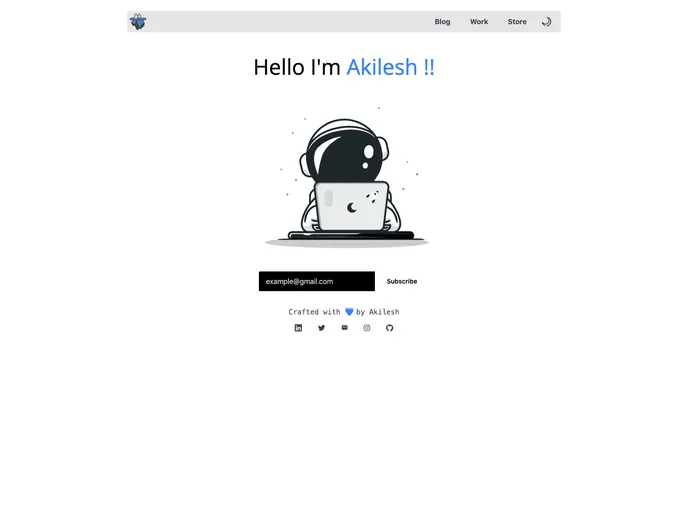
Overview:
The Next.js Website Template is a portfolio website that is built using Next.js, Tailwind CSS, and Notion as a content management system (CMS). It provides a clean and modern design for showcasing your portfolio.
Features:
- Next.js Integration: The template is built using Next.js, a popular framework for React applications. This enables efficient server-side rendering and routing.
- Tailwind CSS Styling: The website is styled using Tailwind CSS, a utility-first CSS framework. This allows for rapid development and easy customization of the design.
- Notion CMS: Notion is used as the CMS for managing the content of the website. This provides a user-friendly interface for editing and updating the portfolio items.
Installation:
To install and run the Next.js Website Template, follow these steps:
- Clone the repository:
git clone https://github.com/username/repository.git
- Install the dependencies:
cd repository
npm install
Configure the Notion integration:
- Create a Notion account and set up a new workspace.
- Create a new database within the workspace for the portfolio items.
- Use the Notion API to obtain an integration token and database ID.
- Replace the placeholder values in
config.jsfile with your integration token and database ID.
Start the development server:
npm run dev
- Open your browser and go to http://localhost:3000 to see the website.
Summary:
The Next.js Website Template is a convenient solution for building a portfolio website with Next.js, Tailwind CSS, and Notion as CMS. It offers an easy-to-use interface for managing and displaying portfolio items, while providing a modern and responsive design. With its integrated tools and technologies, it enables efficient development and seamless customization.






























































