


 Github Stars:
 Last Commit:
  Created:


Overview
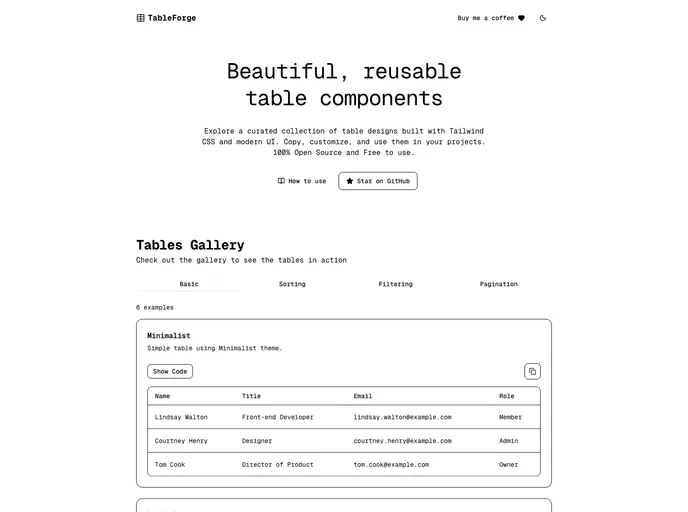
Table Forge presents an innovative solution for developers aiming to streamline their table creation process in web applications. Built with Next.js and Tailwind CSS, this tool offers a seamless experience for those who want to implement accessible and efficient table components. Whether you are looking for examples or need quick access to JSX code snippets, Table Forge caters to all your requirements with ease.
With its focus on usability and accessibility, Table Forge allows both novice and experienced developers to create stunning tables that fit their design needs. The ability to browse examples and preview variations makes it a valuable resource for anyone looking to enhance their web projects with robust tabular data presentations.
Features
- Ready-to-Use Components: Table Forge offers pre-built table components that can be easily integrated into your applications, saving you time on coding from scratch.
- Accessibility Focus: Ensures that all table elements comply with accessibility standards, making your applications usable for everyone.
- Built with Next.js: Leverages the power of Next.js for server-side rendering and performance optimization, enhancing user experience significantly.
- Tailwind CSS Integration: Utilizes Tailwind CSS for styling, providing a utility-first approach that allows for easy customization and responsive design.
- One-Click Copy for JSX: Quickly copy the JSX code of your desired table variation with just a click, making implementation straightforward and efficient.
- Browse Examples: Offers a wide range of examples that showcase different configurations and styles, helping you find inspiration for your own designs.
- Preview Variations: Instantly preview how different settings affect the table’s appearance, allowing for quick adjustments and creative exploration.






























































