


 Github Stars:
 Last Commit:
  Created:
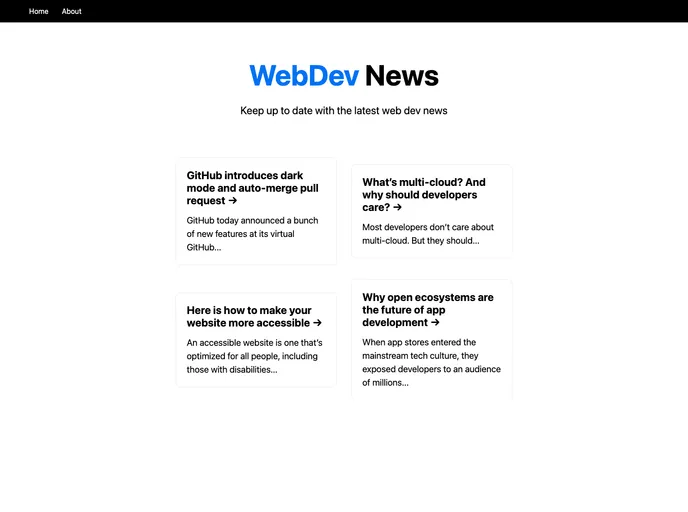
Overview
This product analysis is about a simple blog project based on NextJS (ReactJS). The project is created using Next.js framework and provides an easy way to develop and deploy web applications.
Features
- Simple Blog Project: The project is a simple blog application built with NextJS.
- Next.js Framework: The project is based on Next.js framework, which is a React framework for building server-side rendered applications.
- Easy Development: The project provides a development server that automatically updates the page when the source files are modified.
- API Routes: The project allows creating API routes that can be accessed separately from the React pages.
- Next.js Documentation: Additional resources are available to learn more about Next.js features and API.
- Interactive Tutorial: An interactive Next.js tutorial is provided to help users get started with the project.
- Deployment on Vercel: The project can be easily deployed using the Vercel platform, which is specially built for Next.js applications.
Installation
To install and run the Next.js simple blog project, follow the steps below:
- Start by cloning the project repository from the provided source.
- Open a terminal and navigate to the project directory.
- Run the following command to install the project dependencies:
npm install
- Start the development server by running the following command:
npm run dev
- Open your browser and visit http://localhost:3000 to see the result.
- You can start editing the pages by modifying the files in the
pages/directory. The changes will be automatically reflected in the browser while the server is running.
Summary
This product analysis explored a simple blog project based on NextJS. The project is built with Next.js framework and provides features like easy development with auto-updates, API routes, and deployment options on the Vercel platform. The installation guide provided instructions for setting up and running the project on a local machine.






























































