


 Github Stars:
 Last Commit:
  Created:

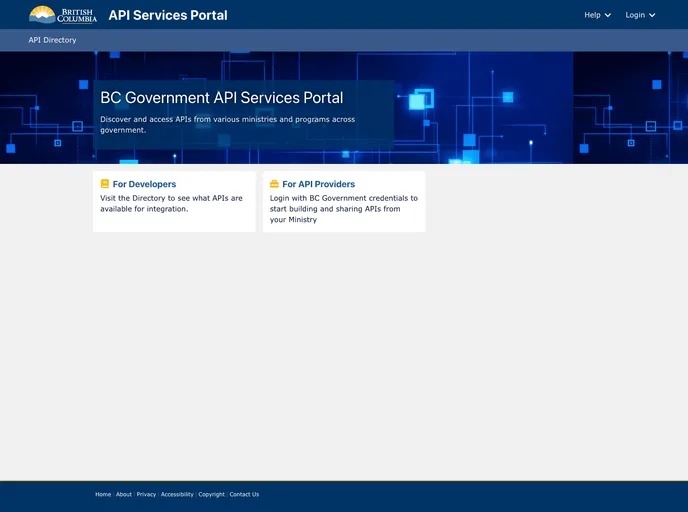
Overview
The API Services Portal is a frontend application that allows API Providers to manage the lifecycle of their APIs and allows Developers to discover and access these APIs. It works in conjunction with the Kong Community Edition Gateway and Keycloak IAM solution.
Features
- Data Model: The application uses KeystoneJS lists to define the aggregated data model.
- UI: The API Services Portal is built using the React framework and the Chakra UI component library.
- Authentication: Support for OAuth2-Proxy allows for authenticating with an OAuth2 flow.
- Authorization: The application implements a decision matrix and authorization rules engine to control access to data.
- Namespace Switching: Users can switch between different namespaces and receive a new Requesting Party Token (RPT) with relevant permissions.
Installation
Manual
- Run
npm installto install the necessary dependencies. - Set up an Authentication proxy by following the instructions for starting the proxy locally.
- Run
npm run devto start the application on port 3000. The proxy should be running on port 4180. - Access the API Services Portal application at
localhost:4180.
Docker
- Create a
.envfile from the.env.localfile located in the feeds directory. - Remove the
cypresssection from thedocker-composefile. - Run the build steps.
docker-compose build
- Use the command
docker-compose upto spin up a local development environment with all the necessary services. - Access the application at
http://oauth2proxy.localtest.me:4180. - Use the credentials
username: localandpassword: localorusername: janis@idirandpassword: awsummerto log in. - To remove all the hosted services, use the command
docker-compose down.
Note: Wait until the Keycloak service starts up and is initialized with the master realm. The realm configuration is saved in ./keycloak/master-realm.json. The Docker setup also creates a realm user with the username local and admin privileges.
Summary
The API Services Portal is a frontend application that provides API Providers with the ability to manage their APIs and allows Developers to discover and access these APIs. It is built using React, KeystoneJS, and NextJS, and utilizes the Chakra UI component library. The application provides features such as authentication, authorization, and namespace switching. It can be installed manually or using Docker.






























































