


 Github Stars:
 Last Commit:
  Created:


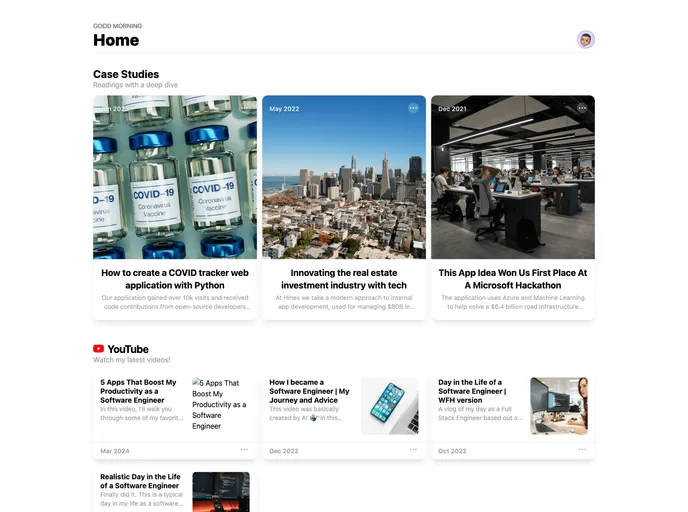
Overview:
This product analysis is for a theme that requires setup with a Notion account and a Vercel project. The theme is designed to help users create a portfolio website using their Notion database. The article provides instructions on how to set up the theme and integrate it with Notion and Vercel.
Features:
- Notion Setup: Duplicate the provided “Portfolio Posts” Notion page and set up the database integration.
- Vercel Setup: Start a new project on Vercel and clone the provided project. Configure the Vercel project’s environment variables, which are required for the Notion integration.
Installation:
To install the theme, follow these steps:
- Ensure that you already have a Notion account created.
- Obtain your Notion database ID and your private Notion API key.
- Duplicate the “Portfolio Posts” Notion page provided by the theme.
- Set up the database integration for the duplicated Notion page.
- Start a new project on Vercel.
- Clone the provided project, or use the link provided in the article.
- In the Vercel project’s settings, navigate to “Environment Variables”.
- Add the necessary environment variables for the Notion integration.
- The environment variable names are specified in the article, likely related to the Notion API key and database ID.
- Save the changes and complete the Vercel setup.
Summary:
This article describes the installation process for a theme that enables users to create a portfolio website using their Notion database. The theme requires setup with a Notion account and a Vercel project. The article provides step-by-step instructions for setting up the theme, including duplicating a provided Notion page, integrating the Notion database, and configuring the necessary environment variables in Vercel.






























































