


 Github Stars:
 Last Commit:
  Created:


Overview
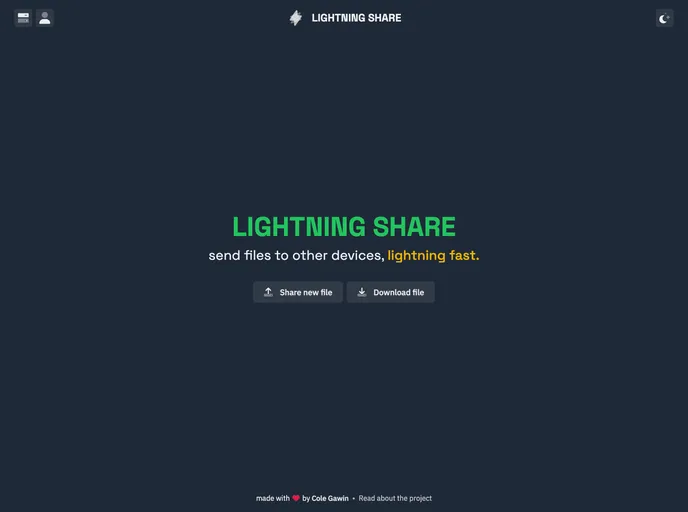
LIGHTNING SHARE is a file hosting and sharing service powered by Firebase. Users can upload files under 20MB and download hosted files using a “share code” provided by words-aas. The service allows users to upload files, retrieve a share code, share it with others, and delete the file if needed. Files are automatically deleted after 21 days.
Features
- File hosting and sharing.
- Upload files under 20MB.
- Download files using a share code.
- Ability to delete uploaded files.
- Automatic file deletion after 21 days (work in progress).
Installation
To use LIGHTNING SHARE, follow these steps:
Clone the repository.
git clone <repository_url>Install dependencies using yarn.
yarn installStart the Vite dev server.
yarn devVisit the provided link in your browser.
To set up local development, follow these additional steps:
Create your own Firebase project for local development.
On your development Firebase project:
- Enable anonymous authentication.
- Add localhost as an authorized domain for authentication.
- Enable Firestore Database and Storage features.
Replace the
firebaseConfigvariable insrc/util/firebase-config.tswith the config for your Firebase project.
Summary
LIGHTNING SHARE is a file hosting and sharing service that allows users to upload files under 20MB and generate a share code for others to download the file. The service is powered by Firebase, which handles authentication, database, and file storage. LIGHTNING SHARE also offers the ability to delete uploaded files and has plans to automatically delete files after 21 days. To use the service, users can follow the installation guide to set up the project locally. Supporting the project can be done by giving a GitHub star, tweeting about it, leaving comments on the tutorial, or sponsoring the developer.



























































