


 Github Stars:
 Last Commit:
  Created:


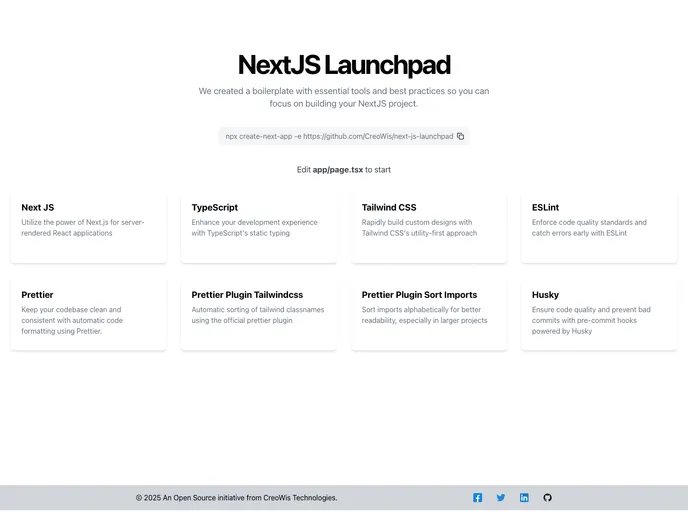
Overview:
NextJsLaunchpad is a comprehensive toolkit designed for developing Next.js projects. It provides a solid foundation with essential tools, configurations, and best practices to enhance the development workflow, ensuring consistent code quality and eliminating setup headaches.
Features:
- Next.js: Utilize the power of Next.js for server-rendered React applications.
- TypeScript: Enhance development experience with TypeScript’s static typing.
- Tailwind CSS: Build custom designs quickly with Tailwind CSS’s utility-first approach.
- ESLint: Enforce code quality standards and catch errors early with ESLint.
- Prettier: Maintain clean and consistent codebase with automatic code formatting.
- Prettier Plugin Tailwindcss: Automatically sort Tailwind CSS classnames with the official plugin.
- Prettier Plugin Sort Imports: Organize import declarations alphabetically for improved readability.
- Husky: Ensure code quality and prevent bad commits with pre-commit hooks powered by Husky.
Installation:
- Clone the repository:
git clone [repository-url]
- Change directory to the project folder:
cd [project-folder]
- Install dependencies:
npm install
- Start the development server:
npm run dev
Summary:
NextJsLaunchpad offers a comprehensive toolkit for Next.js projects, providing essential tools and configurations to streamline development workflows and ensure consistent code quality. With features such as TypeScript, Tailwind CSS, ESLint, Prettier, and more, developers can elevate their Next.js projects with ease. The clear folder structure and conventions further enhance organization and maintainability of the project.






























































