


 Github Stars:
 Last Commit:
  Created:

Overview
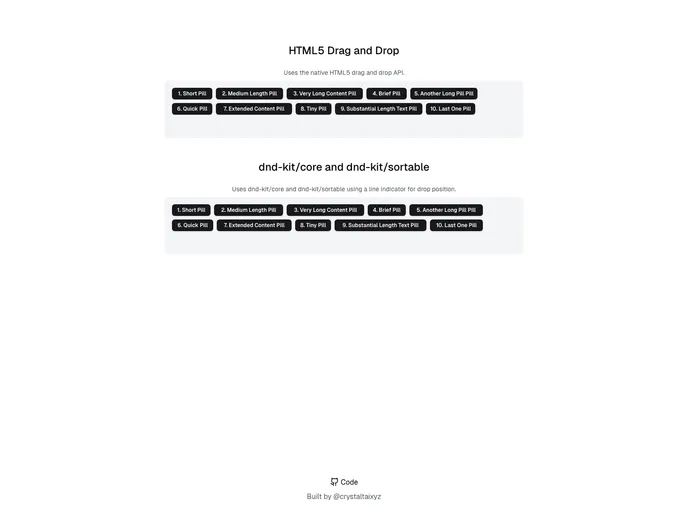
If you’re looking for a straightforward way to implement drag-and-drop functionality in your web applications, the combination of Dnd Kit and Shadcn/UI offers a robust solution. With its intuitive design, you can create interactive elements that respond fluidly to user actions. This system allows for effortless rearrangement of items, making your interface both engaging and user-friendly.
The demo demonstrates how easily you can manipulate elements within a designated container. What’s impressive is the automatic calculation of pill widths based on text size, ensuring a polished look regardless of the content. It’s perfect for anyone hoping to add a modern touch to their UI while keeping things simple.
Features
- Dynamic Width Calculation: The pills automatically adjust their width according to the text content, maintaining visual consistency.
- User-Friendly Drag-and-Drop: The Dnd Kit provides smooth dragging and dropping functionality, allowing users to reorder items effortlessly.
- Line Indicator for Drop Position: Visual cues help users identify where items can be dropped, enhancing the usability of your application.
- Compatibility with Various Content: The system supports pills of varying widths, making it adaptable for different datasets and designs.
- Interactive Interface: The seamless integration encourages user interaction, making your application more engaging.
- Minimal Setup: Leveraging Dnd Kit and Shadcn/UI requires minimal coding, making it accessible for developers at any skill level.






























































