


 Github Stars:
 Last Commit:
  Created:


Overview:
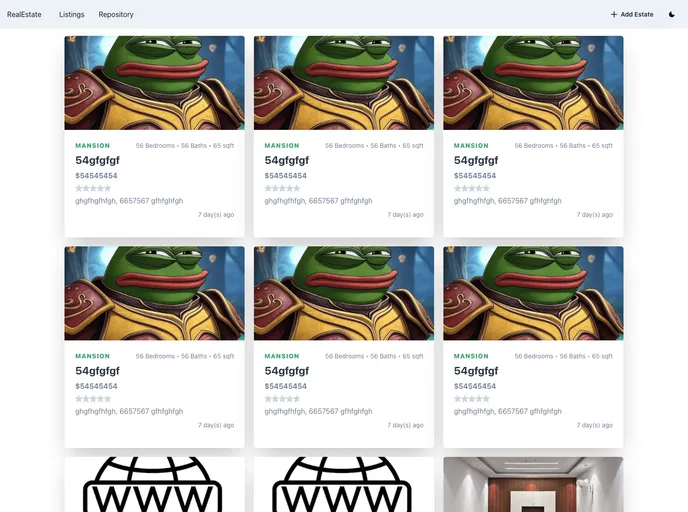
RealEstateA is a NextJS application that showcases a template real estate platform using MongoDB. This project serves as a playground for developers who want to learn about NextJS + MongoDB integration. It covers the process of adding estates to a database and displaying the listing of those estates to the user. The project can be expanded based on the user’s requirements.
Features:
- Integration of NextJS and MongoDB
- Adding estates to a database
- Displaying a listing of estates to the user
- MVC architecture implementation
- Front-end UI using React.js and Chakra UI
- Backend integration using NextJS API (serverless functions)
- Database management using MongoDB
- File storage using Firebase Storage
- Additional libraries used: axios, swr, react-hook-form, compressorjs, moment, react-simple-star-rating, testing-library, jest
Installation:
To get the project files locally on your machine:
Clone the repository by running the following command in your terminal or command line:
git clone [repository_url]Set up the
.envfile in the root directory with the appropriate API keys and credentials from the following service providers: Google Firebase and MongoDB Atlas.Install all the dependency packages found in the
package.jsonfile by running either of the following commands from the project root directory:yarn installor
npm installStart the development server of the application by running the following command:
npm run devor
yarn devThis will log some start-up application information and display the development server URL:
http://localhost:3000. Visit this URL to view the application.
Summary:
RealEstateA is a NextJS application that provides a template real estate platform using MongoDB. It serves as a quickstart for developers who want to learn about integrating NextJS with MongoDB. The application features the ability to add estates to a database and display them to the user. The project follows the MVC architecture and utilizes various libraries for front-end development, backend integration, database management, file storage, form validation, and testing. The installation process involves cloning the repository, setting up the necessary environment variables, and installing the required dependencies.





























































