


 Github Stars:
 Last Commit:
  Created:



Overview:
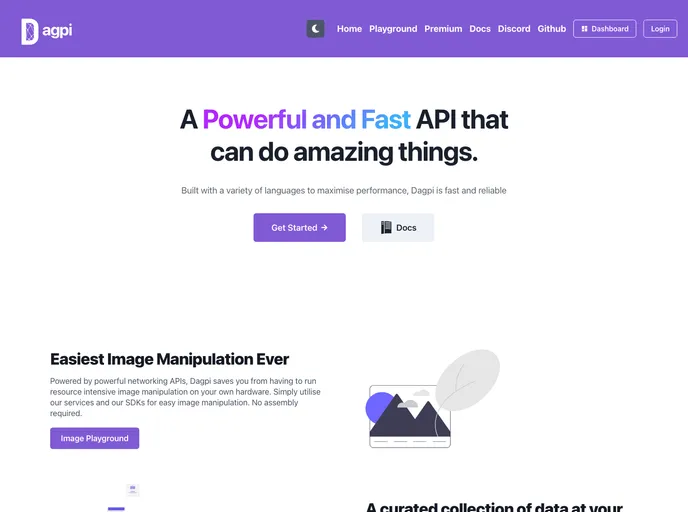
The Dagpi Dashboard is a web application that provides users with a range of tools and features. It is built using Next.js, NextAuth, and Chakra-UI, and incorporates various other technologies such as Eslint, Prettier, Formik + Yup, Stripe Checkout, PayPal Checkout, Google Analytics, and Sentry. The dashboard can be tested locally using the command “yarn dev” and deployed on Vercel by running “yarn build” and “yarn start”. The development of the dashboard was supported by the Reactiflux Discord community, as well as Dagpi users and staff.
Features:
- Next.js: The dashboard is built using Next.js, a popular React framework for creating server-side rendered applications.
- NextAuth: NextAuth is used for authentication and user management, enabling users to securely log in and access their personalized dashboard.
- Chakra-UI: Chakra-UI is a component library used in the development of the dashboard, providing a set of pre-styled and customizable UI components.
- Eslint: Eslint is used for code linting, helping to ensure code quality and adherence to a consistent coding style.
- Prettier: Prettier is an opinionated code formatter used to automatically format code, enhancing readability and maintainability.
- Formik + Yup: Formik is a form library that simplifies form management, while Yup is used for form validation, ensuring the input data is correct.
- Stripe Checkout: Stripe Checkout integration enables the dashboard to handle secure payments through the Stripe payment gateway.
- PayPal Checkout: PayPal Checkout integration allows users to make payments using their PayPal accounts, providing an alternative payment method.
- Google Analytics: Google Analytics integration enables tracking and analysis of user behavior and website performance.
- Sentry: Sentry is used for error tracking and monitoring, helping to identify and resolve any issues that may arise.
Installation:
To install and run the Dagpi Dashboard locally, follow these steps:
- Clone the repository to your local machine.
- Install project dependencies using the command
yarn install. - Set up the required environment variables, such as API keys for Stripe and PayPal, and credentials for Google Analytics and Sentry.
- Run the development server using the command
yarn dev.
To deploy the dashboard on Vercel:
- Fork the repository to your own GitHub account.
- Build the project using the command
yarn build. - Start the production server using the command
yarn start.
Summary:
The Dagpi Dashboard is a feature-rich web application built using Next.js and incorporating various other technologies. It provides users with authentication, payment processing, form management, and analytics capabilities. The development process was supported by the Reactiflux Discord community and received feedback and contributions from Dagpi users and staff. By following the installation and deployment instructions, users can set up their own instances of the Dagpi Dashboard for testing or production use.





























































