


 Github Stars:
 Last Commit:
  Created:

Overview
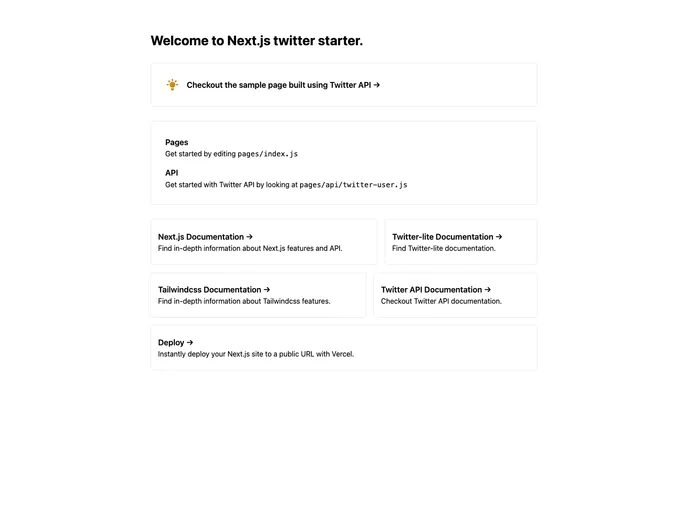
The Next.js Twitter starter kit is a web development tool that provides a foundation for building Twitter applications using the Next.js framework. It comes with pre-installed packages like Next.js, Tailwindcss, and Twitter-lite, and offers both app and user authentication options. This starter kit aims to simplify the process of creating and deploying Twitter apps by providing a straightforward setup process and sample API routes.
Features
- Next.js: Utilizes the Next.js framework for efficient server-side rendering and routing.
- Tailwindcss: Incorporates the Tailwindcss utility-first CSS framework for easy and responsive styling.
- Twitter-lite: Includes the Twitter-lite package for simplified access to the Twitter API.
- App and User Authentication: Provides both app and user authentication options, with app authentication offering higher rate limits and user authentication offering lower rate limits.
- Sample API Routes: Includes a sample API route for retrieving Twitter user information, with the ability to make POST requests using Postman and specify the content type as JSON.
- Example Page: Includes an example page that displays a Twitter card with a Twitter user’s information.
Installation
- Create a file named “.env.local” in the root directory of the project.
- Add the following content to the “.env.local” file:
TWITTER_CONSUMER_KEY=YOUR_CONSUMER_KEY
TWITTER_CONSUMER_SECRET=YOUR_CONSUMER_SECRET
TWITTER_BEARER_TOKEN=YOUR_BEARER_TOKEN
TEST_TWITTER_HANDLE=YOUR_TWITTER_HANDLE
- Obtain the required Twitter keys by visiting https://developer.twitter.com/en/portal/dashboard and creating a standalone app.
- Retrieve the consumer key, secret, and bearer token from the Twitter developer dashboard and add them to the “.env.local” file.
- Replace “YOUR_TWITTER_HANDLE” with your Twitter handle in the “TEST_TWITTER_HANDLE” variable.
To run the development server:
npm install
npm run dev
Open http://localhost:3000 in your browser to see the result. You can modify the pages/index.js file to edit the page, and the changes will auto-update.
To test the API, navigate to http://localhost:3000/api/twitter-user. This endpoint can be edited in the pages/api/twitter-user.js file. Use Postman to send a POST request with the request body, ensuring that the header “Content-Type” is set to “application/json”.
The “pages/api” directory is treated as API routes instead of React pages. Any files in this directory are mapped to “/api/*”.
To view the example page, go to http://localhost:3000/twitter. This page displays a Twitter card with a Twitter user’s information, using the Twitter handle specified in the “TEST_TWITTER_HANDLE” environment variable.
To deploy the application on Vercel, use the Vercel Platform. Refer to the Next.js deployment documentation for more details.
Note: If you want to make requests on behalf of another user, you need to generate a separate set of Access Tokens for that user using the 3-legged OAuth flow. You can pass the user’s tokens with your OAuth 1.0a User Context requests. For OAuth functionality, consider using next-auth.js.
Summary
The Next.js Twitter starter kit provides a convenient starting point for building Twitter applications using Next.js. With built-in packages like Next.js, Tailwindcss, and Twitter-lite, developers can quickly set up the application and start building feature-rich Twitter apps. The kit supports both app and user authentication methods, and includes sample API routes and an example page to help developers understand and customize the functionality. Deployment options are also available through the Vercel Platform, making it easy to deploy the app and share it with others.






























































