


 Github Stars:
 Last Commit:
  Created:



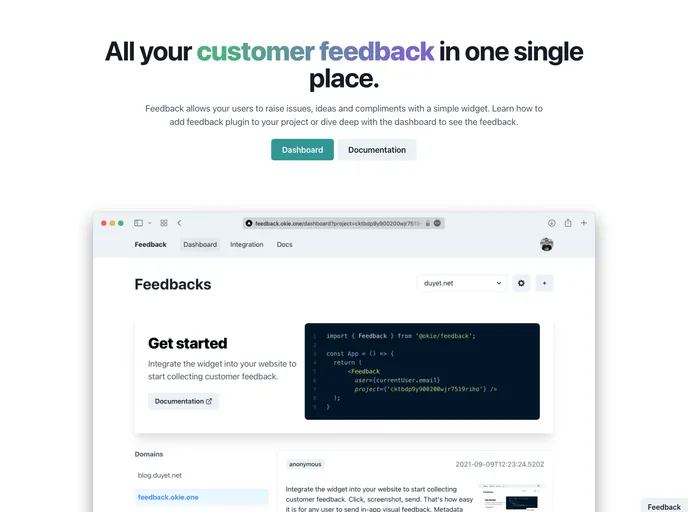
Overview
Feedback is a platform designed to collect feedback in the form of issues, ideas, and compliments. It is built using Next.js, TypeScript, and Prisma, and is currently in the closed beta stage of development.
Features
- Collect issues, ideas, and compliments from users
- Built with Next.js, TypeScript, and Prisma
- Dashboard to manage and view feedback
- Integration with Vercel for easy deployment
Installation
To install the Feedback platform, follow these steps:
- Change the directory to the “./dashboard” folder and install the necessary dependencies.
- Create a .env file using the .env.example as a template.
- Initialize the database by running the provided command.
- Seed the database with sample data by running another command.
- Start the development server.
- Open http://localhost:3000 in your browser to see the dashboard.
- Note that the dashboard uses Next proxy to route http://localhost:3000/docs to http://localhost:3001/docs, so make sure to start both the dashboard and the docs at the same time.
To view the documentation, follow these additional steps:
- Change the directory to the “./docs” folder and install the necessary dependencies.
- Open http://localhost:3001/docs in your browser to see the documentation.
Summary
Feedback is a platform built with Next.js, TypeScript, and Prisma for collecting user feedback. It provides a dashboard for managing and viewing feedback, along with documentation for users. The installation guide provides step-by-step instructions for setting up the platform locally.




























































