


 Github Stars:
 Last Commit:
  Created:

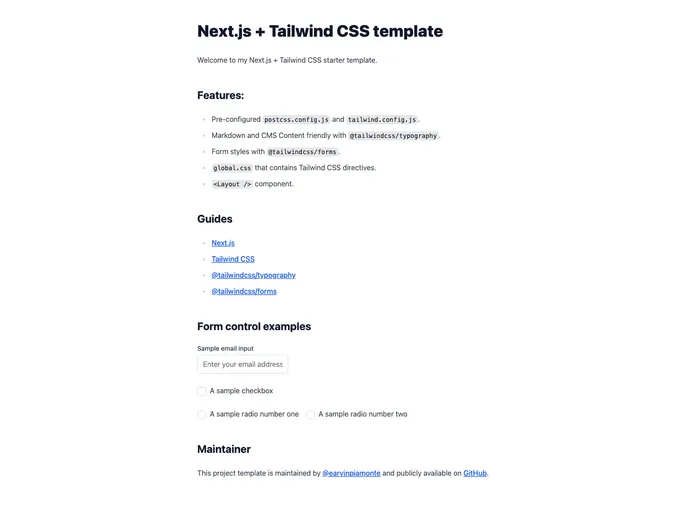
Overview
The Next.js + Tailwind CSS template is designed to simplify the setup of Tailwind CSS for your Next.js application. It provides a streamlined process for integrating Tailwind CSS into your Next.js project.
Features
- Easy Setup: This template takes care of the setup process for integrating Tailwind CSS into your Next.js app.
- Streamlined Development: With the Next.js app created using this template, you can start developing your application right away without worrying about the integration process.
- Optimized Deployment: You can deploy your Next.js app along with the Tailwind CSS template using Vercel, a popular deployment platform.
Installation
To use this template, make sure your development environment is ready as outlined on the Next.js website. Then, follow these steps:
- Open your terminal and navigate to the desired directory where you want to create your Next.js app.
- Use the following command to create a new Next.js app using this template:Note: Replace “nextjs-blog” with the desired name for your project.
npx create-next-app@latest --example https://github.com/piamonte/nextjs-starter-tailwindcss nextjs-blog - Once the app is created, you can run the development server using the following command:
npm run dev - Finally, you can deploy your app with Vercel by clicking the “Deploy with Vercel” button or following the instructions on the Vercel website.
Summary
The Next.js + Tailwind CSS template provides an efficient and hassle-free way to integrate Tailwind CSS into your Next.js application. With easy setup and optimized deployment, this template allows developers to focus on building their application without worrying about the integration process.






























































