


 Github Stars:
 Last Commit:
  Created:


Overview:
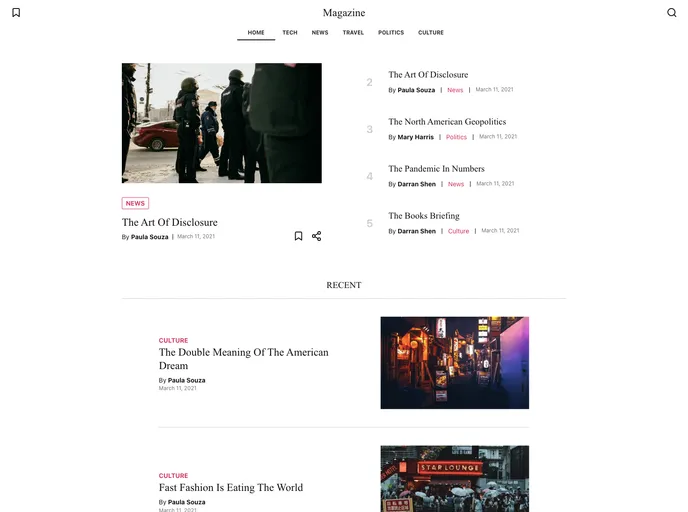
The Digital Magazine Starter Kit is a fully customizable digital magazine template that allows users to clone and deploy their own digital magazine with ease. It offers great performance and accessibility, is SEO and social media friendly, and has a responsive UI. Users can also enjoy features such as dark and light themes, offline support, and the ability to save articles for offline reading. The kit is built with Next.js, TypeScript, CSS Modules, and TailwindCSS, and integrates with the Magazine Strapi CMS for content creation and management.
Features:
- Great performance and accessibility
- SEO and social media friendly (Open Graph and JSON-LD)
- Responsive UI
- Dark and light themes
- Offline support
- Save articles to read offline
- PWA optimized (installable)
- Preview unpublished content
- Search module and hooks
- Static site generated with Next.js
- Dynamically generated sitemap
- Content creation and management from Strapi CMS
- Google Analytics integration
- Service Worker for offline support
- IndexedDB for saving articles
Installation:
To install the Digital Magazine Starter Kit, follow these steps:
- Clone the Magazine Strapi CMS repository and set it up to run locally on http://localhost:1337.
- Create a folder and clone this repository into it.
- Install the dependencies by running
npm installin the project folder. - Start the development server by running
npm run dev. - The dev server will run on http://localhost:3000. If it doesn’t work, make sure you have added sample data to Strapi and set the required roles and permissions.
- To preview unpublished content, create another post and set its status to “published”. Set the required variables from the .env.example into a new file called .env.local. Then, go to your Strapi admin panel, navigate to “Settings” > “Preview Content”, fill in the required information, and save.
- To enable Google Analytics tracking, set the GA_MEASUREMENT_ID environment variable with your measurement ID. Find your measurement ID by signing in to your Analytics Account, going to Admin, selecting the property you want to track, clicking on Streams, and finding your measurement ID at the top of the page.
- If you prefer not to use Google Analytics, you can easily remove it by removing the initial loader in _document.tsx and the onRouterChange handler in _app.tsx.
Summary:
The Digital Magazine Starter Kit is a powerful and customizable solution for creating and deploying digital magazines. With its great performance, accessibility, and SEO-friendly features, it provides an excellent user experience. The kit offers a range of useful features such as responsive UI, dark and light themes, offline support, and the ability to save articles for offline reading. Its integration with the Magazine Strapi CMS allows for easy content creation and management. Overall, the Digital Magazine Starter Kit is a comprehensive tool for anyone looking to create their own digital magazine.






























































