


 Github Stars:
 Last Commit:
  Created:


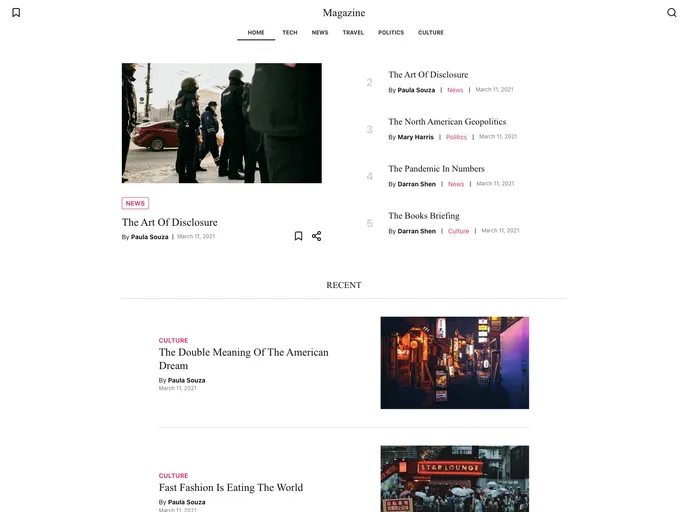
Overview:
The Digital Magazine Starter Kit is a fully customizable and performance-driven theme for creating digital magazines. With features such as great performance, accessibility, responsive design, dark and light themes, offline support, and PWA optimization, this starter kit offers a seamless experience for users. It also provides integration with Strapi Magazine Template and Heroku Magazine Strapi CMS for easy content creation and management. Additionally, it supports Google Analytics for tracking page views.
Features:
- Great performance and Accessibility
- SEO and Social Media friendly (Open Graph and JSON-LD)
- Responsive UI Components
- Dark and light theme
- Offline support
- Save articles to read offline
- PWA Optimized (installable)
- Preview unpublished content
- Search module and hooks
- Static Site Generated with Next.js
- Dynamically generated sitemap
- Content creation and management from Strapi CMS
- Google Analytics integration
Installation:
To install the Digital Magazine Starter Kit, follow these steps:
Use the
create-strapi-starterCLI to create your project.npx create-strapi-starter my-project --template https://github.com/username/repoThe CLI will create a monorepo, install dependencies, and run your project automatically.
The Next frontend app will run on http://localhost:3000.
The Strapi backend server will run on http://localhost:1337.
Make sure you’ve added sample data to Strapi (Contributors, categories, and articles are necessary).
Set the Roles & Permissions to find on Contributors, Categories, articles, and pages.
Set the status of each article and page to be published.
To enable preview mode, create another post and set the status to published.
Set the environment variables in a new file called
.env.local:PREVIEW_SECRET: can be any string (avoiding spaces). You’re gonna use it later on your CMS too.API_URL: should be set as http://localhost:1337 (no trailing slash).
On your Strapi admin panel, go to “Settings” > “Preview Content” and fill in the input with your info.
Lastly, go to any article or page and click the “Preview” button.
To integrate Google Analytics, follow these steps:
Set the
GA_MEASUREMENT_IDenvironment variable with your measurement ID.Finding your Measurement ID:
- Sign in to your Analytics Account
- Go to Admin and select the property you want to track from the property column.
- Under Property, click on Streams.
- Select or create a new stream.
- Your measurement ID will be displayed at the top of the page.
To remove Google Analytics, follow these steps:
- Removing the initial loader:
- In
_document.tsx, remove the two scripts inside the HEAD component. Make sure not to remove the entire component.
- In
Summary:
The Digital Magazine Starter Kit offers an easy and customizable solution for creating digital magazines. With its performance-driven features, accessibility, and integration with Strapi CMS and Google Analytics, users can create and manage content efficiently while tracking page views. The installation process is straightforward, and users can easily remove or customize features according to their preferences.






























































