


 Github Stars:
 Last Commit:
  Created:




Overview
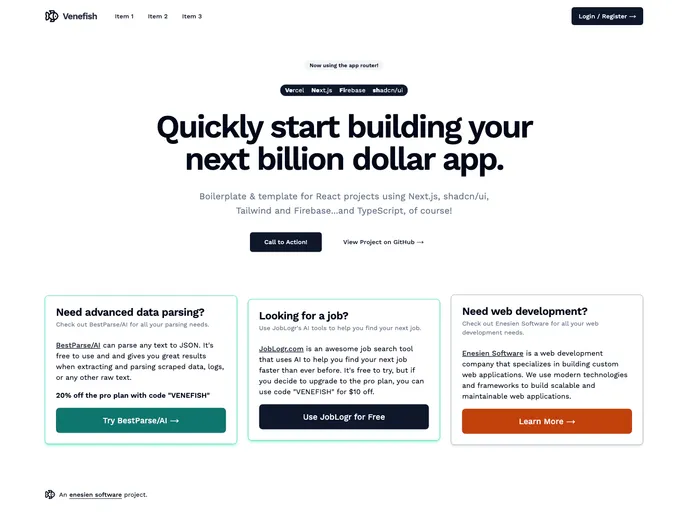
Venefish is a boilerplate for React TypeScript projects using Next.js, shadcn/ui, Tailwind, and Firebase on Vercel. This stack offers a range of benefits, including free project building and deployment until higher tiers are reached within Vercel and Firebase. Key components of this setup include Vercel for cloud and automated deployments, Next.js for improved React functionality, Firebase for authentication and database management (Firestore), and Shadcn and Tailwind for UI and styling.
Features
- Vercel for cloud and automated deployments
- Next.js for better React
- Firebase for authentication and database management (Firestore)
- Shadcn and Tailwind for UI and styling
Installation
To install and set up the Venefish boilerplate, follow the instructions below:
- Ensure that your Firebase project has authentication added.
- Obtain your public Firebase config and paste it into the file
pages/_app.tsx. - Run the following command to install the necessary dependencies:
npm i - Start the development server using the following command:
npm run dev
Note: The following steps are only necessary if you want to use firebase/admin, which is not part of the current project setup.
- Create a new file at the root level called
.env.local. - Define a new variable called
FIREBASE_ADMIN_SDKin the.env.localfile. - Obtain your Firebase service account private key and stringify it.
- Set the
FIREBASE_ADMIN_SDKvariable in.env.localto the stringified private key.
Example value for FIREBASE_ADMIN_SDK:
FIREBASE_ADMIN_SDK={"type":"service_account","project_id":"sleeptoken",...}
Note: The api/test.ts file can be used to stringify your private key.
You also need to define the same FIREBASE_ADMIN_SDK environment variable in Vercel.
Summary
Venefish is a comprehensive boilerplate for React TypeScript projects using Next.js, shadcn/ui, Tailwind, and Firebase on Vercel. It provides a powerful stack for development, featuring cloud and automated deployments with Vercel, improved React capabilities with Next.js, easy authentication and database management with Firebase, and attractive UI and styling options with Shadcn and Tailwind. By following the installation guide, developers can quickly set up their project and take advantage of the benefits provided by this stack.




























































