


 Github Stars:
 Last Commit:
  Created:

Overview:
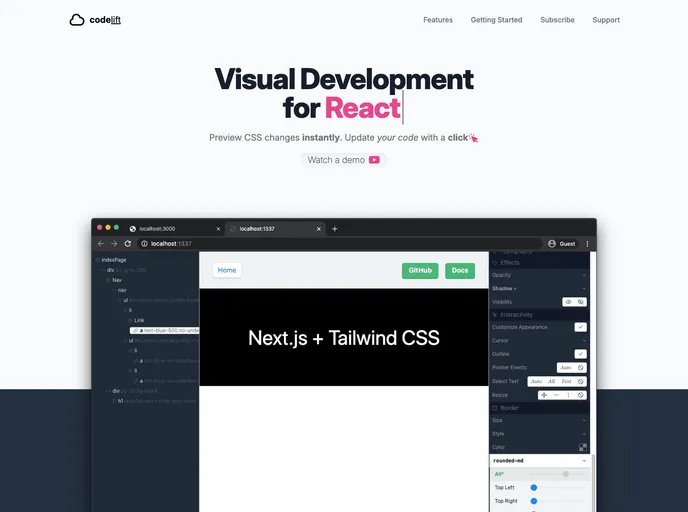
Codelift is a visual development tool designed for React, powered by Next.js, and Tailwind CSS. It enables developers to simplify the process of building React applications by providing a user-friendly interface for visualizing and manipulating the components. With Codelift, developers can increase their productivity and reduce the time required to develop complex React applications.
Features:
- Visual Development: Codelift offers a visual development environment that allows developers to visually design and manipulate React components, reducing the need for extensive coding.
- Next.js Integration: Codelift seamlessly integrates with Next.js, a popular React framework, to provide additional functionality and enhance the development experience.
- Tailwind CSS Support: Codelift supports Tailwind CSS, a highly customizable CSS framework, allowing developers to easily style their React components without writing extensive custom CSS code.
- Bug Tracking: Codelift provides an issue tracker where developers can log and keep track of all bugs and feature requests for the tool, ensuring that the development team is aware of any issues and can address them promptly.
Installation:
To install Codelift, follow these steps:
- First, ensure that you have Node.js and npm installed on your machine.
- Open your terminal and navigate to the desired directory where you want to install Codelift.
- Run the following command to clone the Codelift repository:
git clone https://github.com/codeliftapp/codelift.git
- Once the cloning process is complete, navigate into the Codelift directory:
cd codelift
- Install the required dependencies by running the following command:
npm install
- Start Codelift by running the following command:
npm run dev
- Codelift should now be running locally on your machine. You can access it by opening your browser and navigating to
http://localhost:3000.
Summary:
Codelift is a powerful visual development tool for React applications, built on Next.js and integrated with Tailwind CSS. It provides a user-friendly interface for designing and manipulating React components, reducing the need for extensive coding. With Codelift, developers can enhance their productivity and streamline their development process. The tool also offers an issue tracker for logging bugs and feature requests, ensuring effective communication between developers and the Codelift development team.






























































