


 Github Stars:
 Last Commit:
  Created:

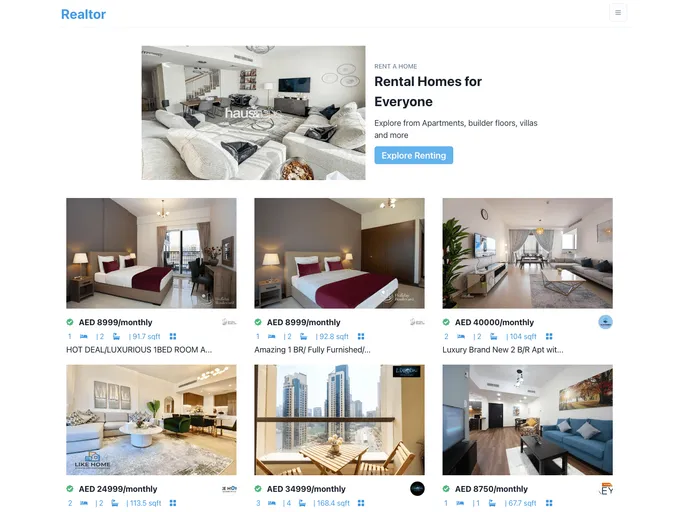
Overview:
The Realtor web application is a project built using the React and Chakra-UI frameworks. It is designed to provide a platform for real estate agents and buyers to connect. The application allows users to search for properties, view property details, and contact real estate agents.
Features:
- User Friendly Interface: The web application has a clean and intuitive interface, making it easy for users to navigate and search for properties.
- Property Search: Users can search for properties based on location, price range, and other criteria.
- Detailed Property Information: The application provides detailed information about each property, including images, specifications, and contact details for the real estate agent.
- Contact Real Estate Agents: Users can easily contact the real estate agents directly through the application.
Installation:
To install the Realtor web application, follow these steps:
First, clone the project by running the following command in the terminal:
git clone https://github.com/Exclusiveideas/Realtor.gitNavigate into the project directory:
cd RealtorInstall all the project dependencies:
npm iStart the application development server:
npm start
The application is now running and can be accessed through a web browser. Don’t forget to star the repository if you find it useful!
Summary:
The Realtor web application is a user-friendly platform that allows users to search for properties and connect with real estate agents. With its intuitive interface and comprehensive property information, it provides a convenient solution for those looking to buy or sell real estate. By following the installation steps, users can easily set up and start using the application.






























































