


 Github Stars:
 Last Commit:
  Created:


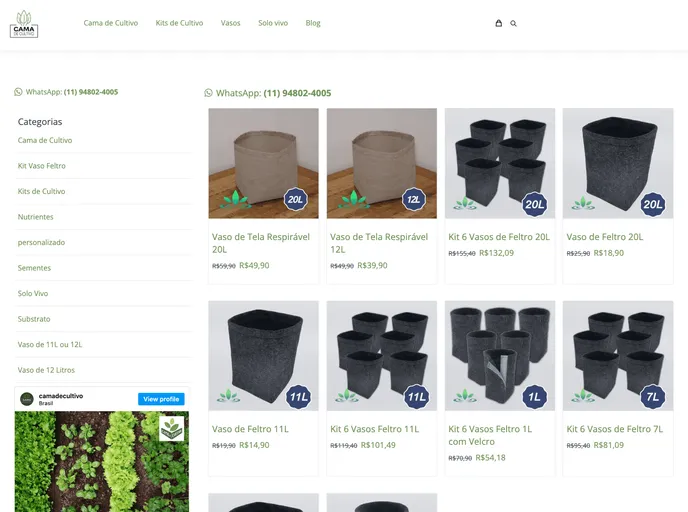
Overview
The WooCommerce Nextjs React Theme is a theme designed to work with WooCommerce headless WordPress sites. It utilizes technologies such as React, NextJS, GraphQL with Apollo client, and integrates with Correios-BR for shipping cost information. The theme enables server-side rendering (SSR) using NextJS, is SEO friendly, supports paginated blog posts, and offers features like automatic code splitting, hot reloading, prefetching, and incremental static (Re)generation.
Features
- WooCommerce Store in React: Contains pages for Products, Single Product, AddToCart, Cart, and Checkout.
- SSR - Server Side Rendering: Implemented using NextJs.
- SEO friendly: Integrated with Add WPGraphQL SEO plugin.
- Paginated Blog Posts: Pulled from the WordPress backend.
- Automatic Code Splitting
- Hot Reloading
- Prefetching
- Incremental Static (Re)generation: Supports Next.js 12.
- GraphQL with Apollo Client
- Tailwindcss integration
- Integrated with Mercado Pago CheckoutPro Gateway
Installation
- Clone the repository:
git clone git@github.com:fabiojundev/woo-next-br.git - Change directory to the project folder:
cd woo-next-br - Install dependencies using yarn:
yarn install - Add GraphQL support for WordPress by installing and activating the following plugins in your WordPress plugin directory:
- wp-graphql
- wp-graphql-woocommerce
- add-wpgraphql-seo
- wp-graphql-offset-pagination
- Ensure WooCommerce plugin is installed in your WordPress site.
- Import default WooCommerce products for development (if needed).
- Create a
.envfile based on the.env-exampletemplate and update the WordPressSite URL, WooCommerce API KEY, and Mercado Pago API KEY.
Summary
The WooCommerce Nextjs React Theme offers a modern web development approach by combining React, NextJS, GraphQL, and other technologies to create a seamless and performant e-commerce experience. With features like server-side rendering, SEO optimization, and integration with popular payment gateways like Mercado Pago, the theme provides developers with a solid foundation for building headless WooCommerce solutions. By following the installation guide provided, developers can quickly set up and start customizing the theme for their projects.





























































