


 Github Stars:
 Last Commit:
  Created:

Overview
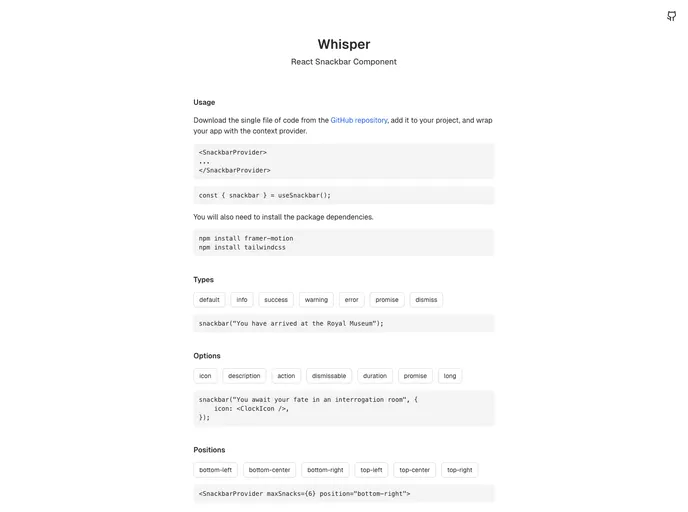
Whisper is a lightweight and fully customizable React snackbar component designed to enhance user experience through stylish notifications. Built with the powerful combination of Framer Motion and TailwindCSS, this component aims to provide developers with a modern solution for displaying messages without the overhead of complexity. Inspired by known standards, Whisper not only offers aesthetic appeal but also a robust functionality that makes it a go-to choice for many projects.
With an intuitive API and a clean codebase, Whisper allows for seamless integration into any React application. What’s more, its flexibility in design and positioning, along with adherence to accessibility standards, ensures that both developers and users can enjoy a smooth interaction with alerts, whether they’re default, success, or error messages.
Features
- Instant API: Whisper features a simple and intuitive API, making it easy for developers to implement notifications quickly and efficiently.
- Customizable: Fully styled with TailwindCSS, it allows developers to modify and extend the component to meet their specific design requirements.
- Multiple Notification Types: Supports various types of notifications including default, info, success, warning, error, and promise types, offering versatility for different scenarios.
- Flexible Positioning: Provides options to display notifications in six different positions on the screen, adapting to user preferences.
- Auto & Manual Dismissal: Comes with an auto-dismiss feature (defaulting at 6 seconds) while also allowing users to manually close notifications as needed.
- Actionable Buttons: Enables the attachment of custom action buttons to notifications, enhancing interactivity and user engagement.
- Descriptive Snacks: Supports secondary descriptions, providing additional context to the main message for clearer communication.
- Icon Support: Utilizes built-in icons for various snack types, with an option to incorporate custom icons for unique branding.






























































