


 Github Stars:
 Last Commit:
  Created:

Overview:
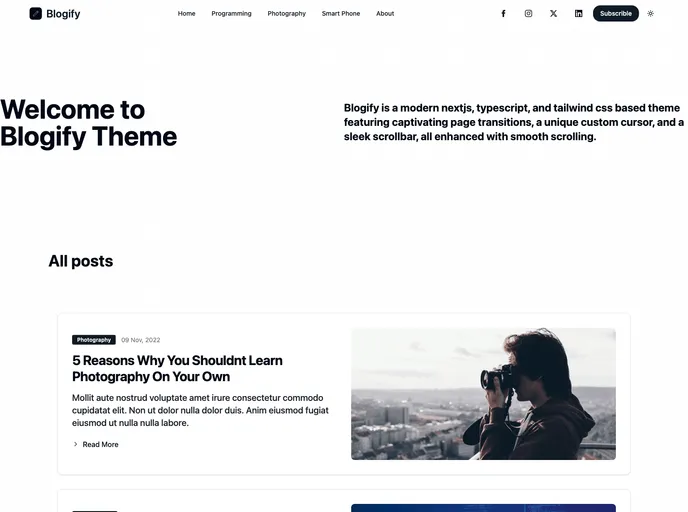
The blogify template is an open-source template that can be used to create a blog. It has various pages such as the home page, list page, reading page, and tag page. The template comes in a project folder and is distributed under the MIT license.
Features:
- Home page: The blogify template includes a visually appealing home page that showcases featured blog posts and provides a great user experience.
- List page: The list page displays a list of blog posts with titles and excerpts, allowing users to easily browse through available content.
- Reading page: This page provides a comfortable reading experience, with a clean layout, clear typography, and responsive design.
- Tag page: The tag page allows users to view posts related to a specific topic or tag, making it easier to navigate and find relevant content.
Installation:
To install the blogify template, follow these steps:
- Download the project folder from the provided source.
- Extract the contents of the downloaded folder.
- Open your preferred code editor.
- Navigate to the project folder in the code editor.
- Customize and modify the template according to your needs.
Here is an example of how to install the blogify template using command line:
$ git clone [repository-url]
$ cd project-folder
Summary:
The blogify template is a feature-rich open-source template for creating a blog. It includes key features such as a visually appealing home page, a list page for browsing blog posts, a reading page for comfortable reading, and a tag page for easy navigation. Installation is straightforward, and users can customize the template to fit their specific requirements. Overall, the blogify template provides a great starting point for creating a blog.






























































