


 Github Stars:
 Last Commit:
  Created:

Overview
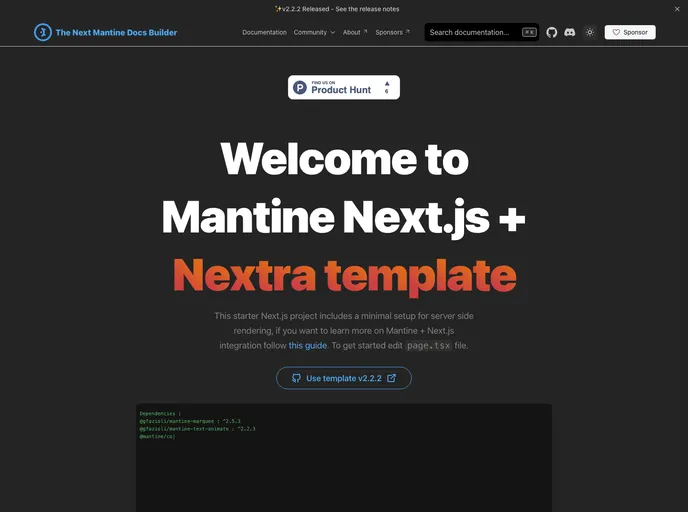
The Mantine Next.js + Nextra template is an impressive solution designed for developers looking to create a documentation site utilizing Next.js app router combined with Mantine and Nextra. This template streamlines the process of setting up a documentation site, providing a robust framework right out of the box. With modern features and a focus on developer experience, it aims to enhance productivity and maintainability for both individual developers and teams.
This template caters to both aesthetics and functionality, supporting features like dark mode synchronization and customizable components. By simplifying the folder structure and including essential scripts, it lays a solid foundation for users to build upon, ensuring that they can focus on content rather than setup intricacies.
Features
PostCSS with mantine-postcss-preset: Enhance your styling capabilities with an efficient PostCSS setup tailored for Mantine.
TypeScript Support: Embrace type safety in your development process, making your codebase more robust and easier to maintain.
Storybook Integration: Test and develop UI components in isolation with Storybook, a powerful tool for component-driven development.
Jest Setup with React Testing Library: Ensure quality and reliability with a seamless testing infrastructure for your React components.
Customizable Components: Utilize a dedicated components folder with pre-built components that you can easily adapt to meet your specific needs.
Nextra Documentation Site: Leverage the functionality of Nextra to create a smooth and efficient documentation experience, complete with a Mantine theme.
Dark Mode Synchronization: Provide a cohesive user experience by syncing dark mode settings between your documentation and application.
Comprehensive npm Scripts: Benefit from a suite of development scripts to streamline the build, testing, and development processes, including type checks and linting.




























































