


 Github Stars:
 Last Commit:
  Created: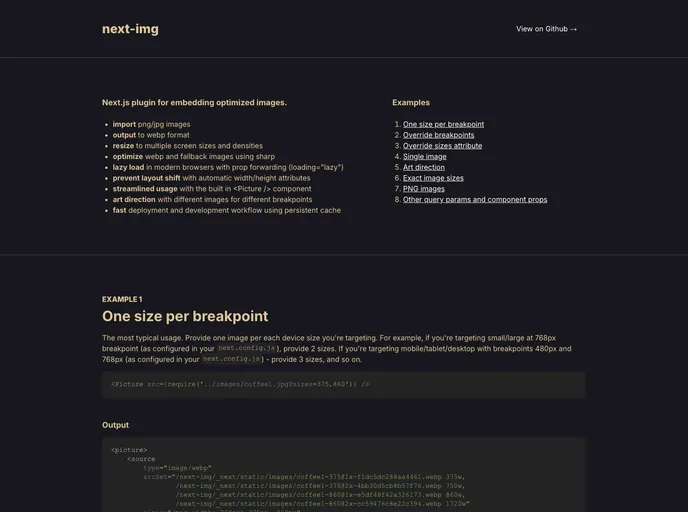
Overview
Managing images effectively in web development is crucial for maintaining optimal performance and user experience. The next-img package offers a powerful solution for Next.js projects by streamlining the image optimization process. With its ability to import, resize, and cache images, it simplifies what can often be a complex task, allowing developers to focus on building great applications without getting bogged down in manual image handling.
The default configuration includes support for different breakpoints and pixel densities, ensuring that images are displayed perfectly across various devices. By using the built-in <Picture /> component, developers can leverage a clean and easy-to-use interface that handles images in an optimal fashion, similar to using a simple <img> tag.
Features
Image Format Support: Easily import png or jpg images and output them in webp format for improved loading times and performance.
Responsive Resizing: Automatically resize images to multiple screen sizes and densities, ensuring they look great on any device.
Optimized Loading: Utilize lazy loading in modern browsers with prop forwarding to improve load times and enhance user experience.
Prevent Layout Shift: Automatic width and height attributes help to prevent layout shifts, keeping your design stable as images load.
Customizable Breakpoints: Art direction is supported with the ability to use different images for various breakpoints, optimizing visuals based on the user’s device.
Fast Deployment: The development workflow is streamlined through persistent caching, which saves resources and speeds up deployment times.
Adaptable Configuration: Default settings can be easily customized via the
next.config.jsfile or individual image imports, allowing for flexibility based on project requirements.Integrated Workflow: Quickly import images using the
<Picture />component for efficient image management within your Next.js applications.






























































