


 Github Stars:
 Last Commit:
  Created:


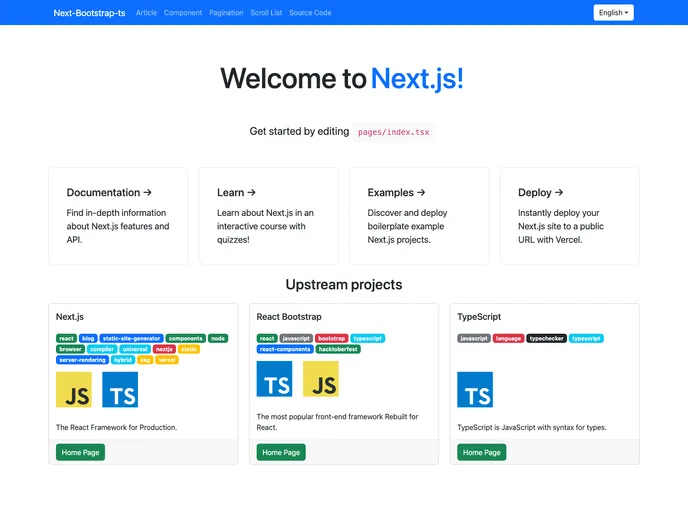
Overview:
Next-Bootstrap.tsReact is a project scaffold based on TypeScript, Next.js, Bootstrap, and Workbox. It utilizes create-next-app to bootstrap the project. This project includes various technologies and features such as NPM Dependency CI & CD, TypeScript, Nextjs, Bootstrap, Workbox, MobX for state management, and GitHub Actions + Vercel for CI/CD.
Features:
- TypeScript v5 for a strongly typed development experience.
- Nextjs v12 as the component engine for server-side rendering and routing.
- Bootstrap v5 as the component suite for responsive and modern UI designs.
- Workbox v6 as the PWA (Progressive Web App) framework for offline functionality and caching.
- MobX for efficient state management in the application.
- GitHub Actions + Vercel for continuous integration and deployment.
Installation:
To install Next-Bootstrap.tsReact, follow these steps:
- Clone the project repository from GitHub.
- Navigate to the project directory in the terminal.
- Install the required dependencies by running the command:
npm install. - Start the development server by running the command:
npm run dev. - Open the browser and enter the following address:
http://localhost:3000to view the application.
Summary:
Next-Bootstrap.tsReact is a project scaffold that combines the power of TypeScript, Next.js, Bootstrap, and Workbox. It provides a comprehensive starting point for developing modern web applications with features like CI/CD, PWA functionality, and efficient state management. By following the installation guide, developers can quickly set up the project and start building their applications with ease.






























































