


 Github Stars:
 Last Commit:
  Created:


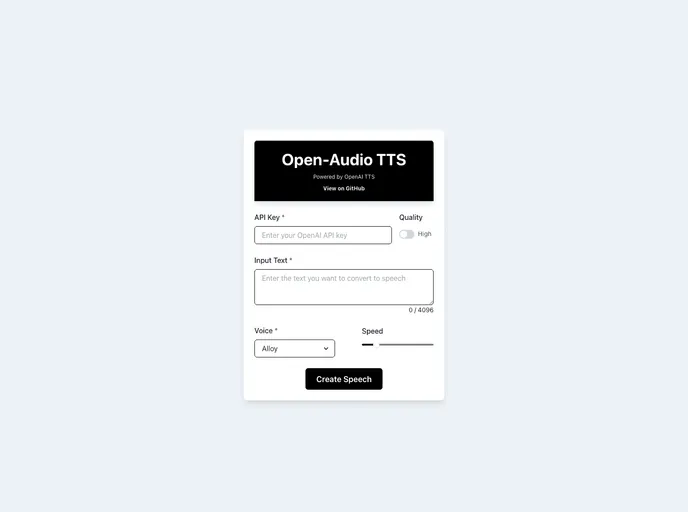
Overview
Open-Audio TTS is a web application powered by OpenAI’s text-to-speech models, allowing users to convert text into natural-sounding speech. With customizable voices, adjustable speed, and a user-friendly interface, this tool provides a seamless experience for generating and downloading speech audio files.
Features
- Text-to-Speech: Convert any text into speech using high-quality voices powered by OpenAI’s TTS models.
- Customizable Voices: Choose from a variety of voices to suit your needs.
- Adjustable Speed: Control the speed of the speech playback to match your listening pace.
- BYO API Keys: Securely bring your own API keys with no data stored on the server side.
- Downloadable Audio: Easily download the generated speech as an MP3 file directly from the browser.
- User-Friendly Interface: Responsive design for a comfortable experience on different devices.
Installation
To set up the project locally, follow these steps:
- Clone the repository to your local machine.
- Navigate to the project directory.
- Install dependencies with
npm install. - Start the development server with
npm run dev. - Open http://localhost:3000 to view it in the browser.
Summary
Open-Audio TTS offers a convenient solution for converting text to speech with high-quality voices and customizable options. Its user-friendly interface and adjustable features make it a versatile tool for generating and downloading speech audio files effortlessly. The ability to bring your own API keys ensures security and privacy, while the responsive design enhances the overall user experience.






























































