


 Github Stars:
 Last Commit:
  Created:
Overview
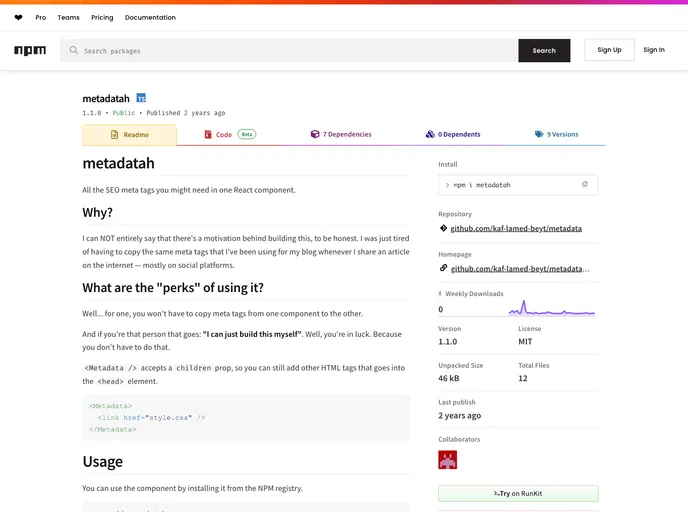
Managing SEO meta tags is often a cumbersome process for web developers, especially when you have to repeat the same sets for different pages or articles. The Metadata component in React solves this problem by providing a reusable solution that simplifies the addition of essential SEO elements. Instead of manually copying and pasting tags every time you create a new page, this component streamlines the process, allowing you to focus more on content creation rather than on repetitive coding tasks.
This component accommodates the flexibility to customize your meta tags while still maintaining core attributes that enhance visibility across various platforms like Google, Facebook, and Twitter. With its straightforward setup and integration into your projects, it’s a game-changer for those looking to optimize their web presence effortlessly.
Features
Easy Integration: Install the component from the NPM registry and import it directly into any page you need, making setup a breeze.
Customizable Props: Required props like
pageTitle,url,previewImage, anddescriptionallow you to tailor the metadata for each of your pages.Supports Additional Tags: Use the
childrenprop to include custom HTML tags within the<head>element, giving you full control over your page’s metadata.Content Type Specification: The
contentTypeprop lets you define the type of your content (e.g., article or website), helping to clarify the format of what you’re sharing.Language Support: With
contentLanguage, you can easily change the language setting for your content, defaulting to “en_US” if no specification is made.Handles Social Media Preview: Ensures that your links appear appropriately on social platforms and search engines, optimizing engagement and click-through rates.
Compatibility with Next.js: Although there may be some initial setup challenges, once integrated properly, the component works seamlessly within Next.js projects.
Error Handling Guidance: Comes with useful hints on troubleshooting common errors, like hydration issues with Next.js, ensuring a smooth development experience.






























































