


 Github Stars:
 Last Commit:
  Created:


Overview:
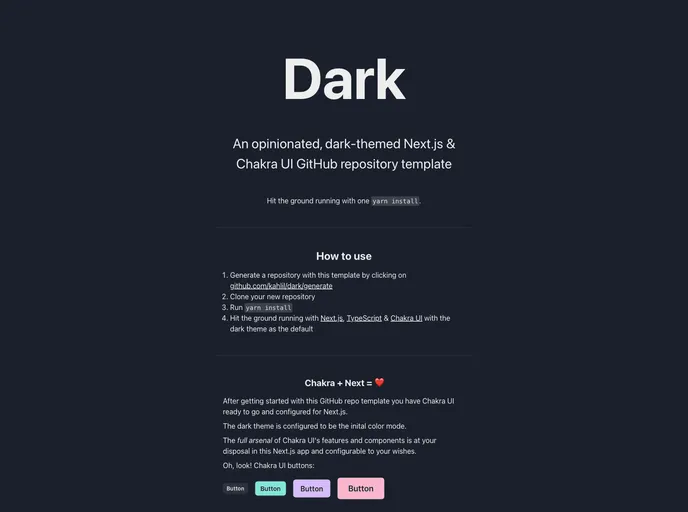
Dark is a GitHub repository template designed for Next.js and Chakra UI. It is a dark-themed template that allows users to quickly set up and start working on their projects. By following a few simple steps, users can generate a new repository using this template and have access to the default dark theme and the selected tech stack.
Features:
- Next.js & Chakra UI: The template is built on Next.js and utilizes the Chakra UI component library, providing a solid foundation for building web applications.
- TypeScript: The template uses TypeScript for improved type safety and enhanced development experience.
- Prettier & ESLint: The template includes Prettier and ESLint with pre-configured settings, ensuring code consistency and adherence to best practices.
- pretty-quick & Husky: pretty-quick and Husky are included in the template to automate code formatting and enforce linting before committing changes.
- Jest & Testing Library: The template is set up with Jest and Testing Library for easy and efficient testing of components and functionality.
Installation:
To install the Dark theme template, follow these steps:
- Generate a repository with this template by clicking on the “Use this template” button on the top right or by visiting the URL github.com/kahlil/dark/generate.
- Clone your newly created repository to your local machine.
- Run the command
yarn installin the terminal to install the necessary dependencies. - You are now ready to hit the ground running with Next.js, TypeScript, and Chakra UI using the Dark theme as the default.
Please note that it is recommended to use Volta to manage your Node and Yarn versions for a smoother development experience. If you are using VS Code as your editor, it is also suggested that you enable format on save through Prettier and disable the built-in formatter.
Summary:
Dark is a Next.js and Chakra UI repository template with a dark theme. It offers a quick and easy way to start a new project with pre-configured settings and a recommended tech stack. By following the installation steps, users can set up their project in no time and have access to features such as TypeScript, Prettier, ESLint, and automated code formatting. Whether you’re a beginner or an experienced developer, Dark provides a solid foundation for building web applications.






























































