


 Github Stars:
 Last Commit:
  Created:


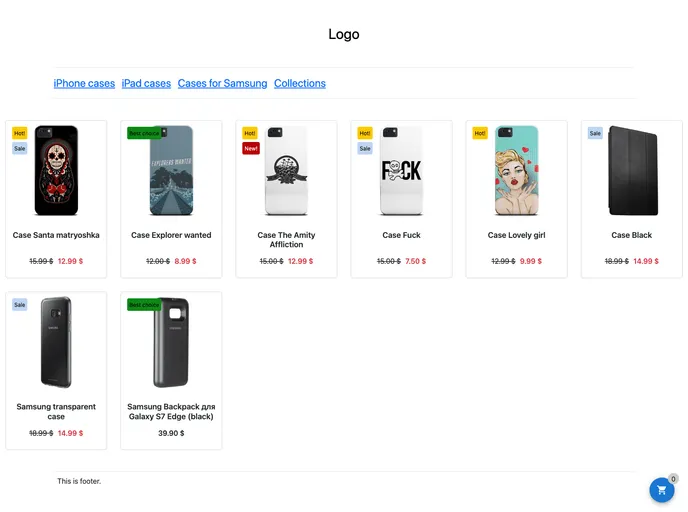
Overview:
Next.js v14 E-commerce Starter Kit is a ready-to-use E-commerce Starter Kit built on top of Next.js v14 (TypeScript). It is free and can be easily cloned and deployed. With an online demo available, this kit provides a hassle-free way to kickstart an E-commerce project using Next.js.
Features:
- Ready to use: The E-commerce Starter Kit is already set up and ready to go, making it convenient for developers.
- TypeScript support: Built with TypeScript, the Starter Kit provides static type checking and improved developer experience.
- Clone and deploy: Easily clone the Starter Kit and deploy it to your preferred hosting platform.
Installation:
To install and set up the Next.js v14 E-commerce Starter Kit, follow these steps:
- Go to Boundless-commerce.com and create a free account (no credit card required).
- In the “Control panel”, navigate to “Settings” -> “Access tokens” and create a new access token.
- In the project directory, copy the
.env.examplefile and rename it to.env.local. - Modify the
.env.localfile with the relevant values forNEXT_PUBLIC_BOUNDLESS_API_PERMANENT_TOKENandNEXT_PUBLIC_BOUNDLESS_INSTANCE_ID, which can be obtained from the access token created in step 2. - If you plan to use Stripe, also provide values for
NEXT_PUBLIC_STRIPE_PUBLISHABLE_KEY,STRIPE_SECRET_KEY, andBOUNDLESS_MANAGEMENT_TOKEN. - Install the project dependencies by running
npm installin the terminal. - Start the development server by running
npm run devand open http://localhost:3000 in your browser. - If you want to validate Next.js cache, set up a webhook in the Boundless Admin “Control panel” -> “Settings” -> “Web hooks”. The webhook URL should be http://localhost:3000/api/on-update-hook. Specify a secret key and set it as an environment variable named
WEBHOOK_SIGN_KEY.
Summary:
Next.js v14 E-commerce Starter Kit offers a convenient and ready-to-use solution for kickstarting an E-commerce project using Next.js. Its features include easy cloning and deployment, support for TypeScript, and hassle-free setup. By following a few simple installation steps, developers can quickly get started with building their E-commerce websites.





























































