


 Github Stars:
 Last Commit:
  Created:

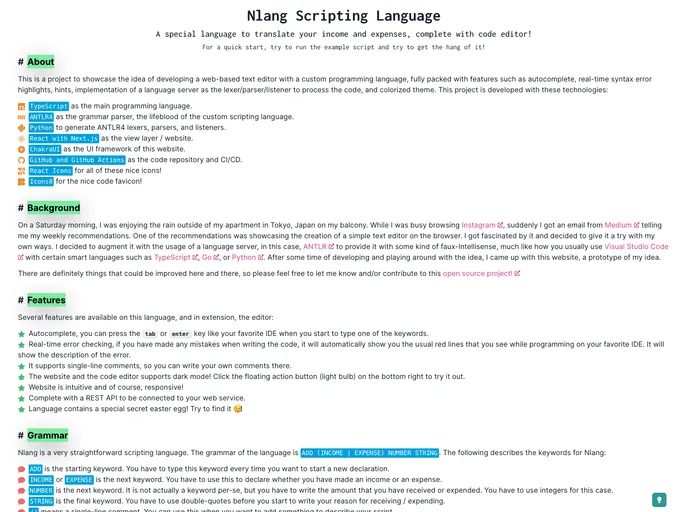
Overview
The Nlang Scripting Language is a prototype that offers an intellisense code editor, autocomplete, real-time error checking, and a real language parser. The project provides comprehensive documentation on its website, covering everything from the background and features of the language to instructions on using the grammar and the API. The application requires Node.js 18+ and Yarn Classic to run, with additional software packages needed for experimenting with the language and recompiling it.
Features
- Intellisense code editor
- Autocomplete
- Real-time error checking
- Real language parser
- Comprehensive documentation
- Ability to experiment with and recompile the grammar
Installation
To run the Nlang application, you need to have the following software packages installed:
- Node.js 18+
- Yarn Classic
For experimenting with and recompiling the grammar, you also need:
- Python 3.11+ (recommended)
- ANTLR4 Tools
To install and run the application, follow these steps:
- Clone the repository.
- Install the application using the command
yarn install. - Run the application in development mode using the command
yarn start. - For production mode, use the command
yarn buildto build and start the application. - Optional commands for development purposes include
yarn cleanto clean build artifacts,yarn testto run integration tests, andyarn quality-checkto ensure code standards are met.
For experimenting with the language, follow these steps:
- Clone the repository to your local machine.
- Install OpenJDK if you intend to compile the language (refer to ANTLR4 documentation for more information).
- Create a Python Virtual Environment in the repository.
- Switch to the Python Virtual Environment.
- Install ANTLR4.
- Experiment with the grammar file
nlang/lang/nlang.g4using the ANTLR Lab. - Compile the grammar when ready.
- Deactivate the virtual environment when you’re done.
Summary
The Nlang Scripting Language features an intuitive code editor with various helpful functionalities such as autocompletion and real-time error checking. It also provides a real language parser and comprehensive documentation on its website. The installation process involves cloning the repository, installing required software packages, and running the application in either development or production mode. Additionally, developers can experiment with the language by following specific steps outlined in the documentation. The application is licensed under the MIT License.






























































