


 Github Stars:
 Last Commit:
  Created:


Overview
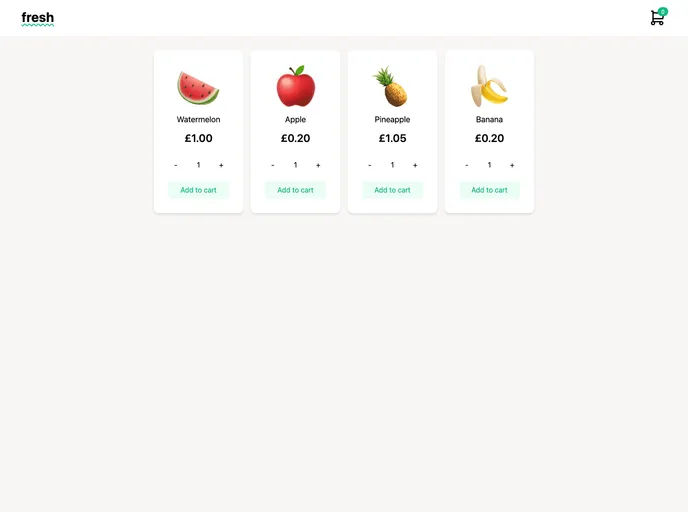
This blog post is a repository that provides starter code and final code for a tutorial on building a shopping cart in Next.js with the use of the use-shopping-cart library and Stripe integration. The author invites readers to refer to the full blog post for detailed instructions on how to use the provided code. The repository also includes a live demo with two branches - main for the starter code used in the tutorial, and final-version for the currently deployed final code on Vercel.
Features
- Starter code for implementing a shopping cart in Next.js.
- Final code with the integration of the
use-shopping-cartlibrary and Stripe. - Detailed tutorial blog post explaining the usage of the code.
- Live demo showcasing the final version of the shopping cart application.
Installation
To install and use the provided code, follow these steps:
- Clone the repository:
git clone [repository-url]
- Switch to the desired branch:
git checkout [branch-name]
- Install the dependencies:
npm install
- Set up environment variables:
- Create a
.envfile in the project root directory. - Add the necessary environment variables required for the integration with Stripe.
- Run the application:
npm run dev
This will start the Next.js development server, and you can access the application at http://localhost:3000.
Summary
The blog post provides a tutorial on building a shopping cart using Next.js, use-shopping-cart, and Stripe. It offers both the starter code and final code for reference. The provided repository also includes a live demo and step-by-step instructions on how to use the code. Overall, this tutorial and repository serve as a valuable resource for developers interested in implementing a shopping cart functionality in their Next.js projects.





























































