


 Github Stars:
 Last Commit:
  Created:


Overview:
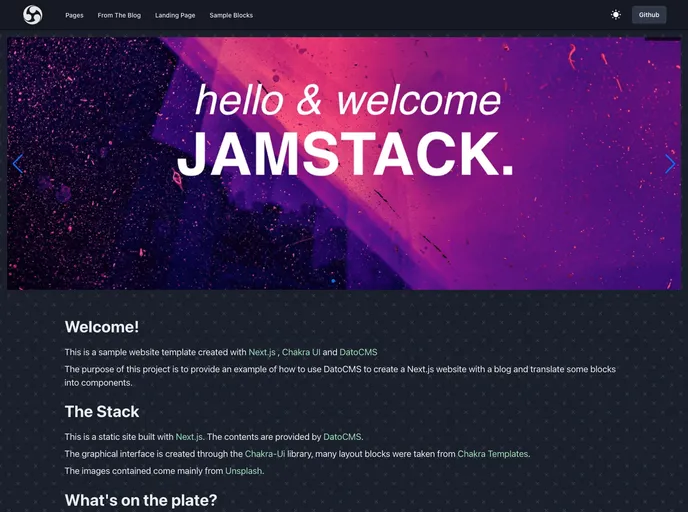
The Next-DatoCMS-Template is a free-to-use DatoCMS template and an open-source Next.js sample that allows users to create a complete website. Users can duplicate the template and deploy the frontend from GitHub. The template utilizes Chakra Ui as its UI library and includes sample blocks from Chakra Templates and examples from Framer Motion. It also demonstrates the use of various features such as DatoCMS Metatags for SEO, StructuredText, ModularContent, Dato ResponsiveImage, Mux video stream, Embedded video from Youtube or Vimeo, Leaflet and Mapbox Map, Code Highlighter, Swiper Carousel, and several other useful blocks. There are also upcoming features in progress, including multi-language support and DatoCMS full-text search.
Features:
- Chakra Ui: Utilizes Chakra Ui as the UI library.
- Sample Blocks from Chakra Templates: Includes sample blocks from Chakra Templates.
- Examples from Framer Motion: Demonstrates the use of examples from Framer Motion.
- DatoCMS Metatags for SEO: Shows examples of how to use DatoCMS Metatags for SEO.
- StructuredText: Demonstrates the use of StructuredText in DatoCMS.
- ModularContent: Shows examples of how to use ModularContent in DatoCMS.
- Dato ResponsiveImage: Demonstrates the use of Dato ResponsiveImage.
- Mux video stream: Includes examples of how to use Mux video stream.
- Embedded video from Youtube or Vimeo: Shows examples of how to embed videos from Youtube or Vimeo.
- Leaflet and Mapbox Map: Demonstrates the use of Leaflet and Mapbox Map.
- Code Highlighter: Includes a Code Highlighter block.
- Swiper Carousel: Includes a Swiper Carousel block.
- Other Useful Blocks: Includes several other useful blocks.
Installation:
Solution 1: Clone Dato project then Deploy repository
- Clone the Datocms project.
- Deploy the project to Vercel or Netlify.
Deploy with Vercel:
vercel
Deploy with Netlify:
netlify deploy
Solution 2: Do everything with DatoCMS stater
- Clone the DatoCMS project.
- Setup the project locally.
Summary:
The Next-DatoCMS-Template is a versatile template for creating websites using DatoCMS and Next.js. It includes a range of features such as Chakra Ui, sample blocks from Chakra Templates, examples from Framer Motion, and various other useful blocks. Users can easily clone the template and deploy it on Vercel or Netlify. The template also provides options for cloning the DatoCMS project and setting it up locally. With upcoming features in progress and support for multi-language and full-text search, the template offers a comprehensive solution for creating dynamic and interactive websites.






























































