


 Github Stars:
 Last Commit:
  Created:


Overview:
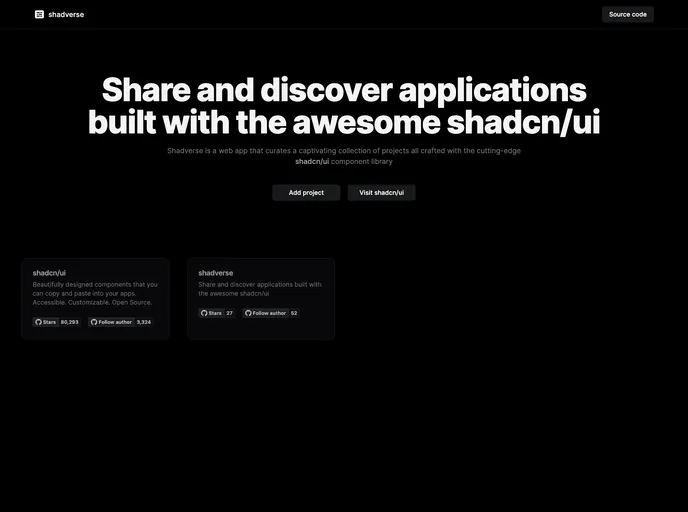
The shadverse is a collection of projects that have been built using the shadcn-ui component library. This library is known for its powerful features and ease of use.
Features:
- Wide range of components: The shadcn-ui component library offers a vast collection of components that can be used to build responsive and user-friendly websites.
- Simple and intuitive: The library is designed to be easy to understand and use, even for developers who are new to front-end development.
- Customizable: The components in shadcn-ui can be customized to match the design and branding of any project, allowing for a cohesive and consistent look and feel.
- Active community: The shadverse community is active and supportive, providing assistance and updates for the component library.
Installation:
To add your project to the shadverse collection, follow these steps:
- Check out the CONTRIBUTING.md file in the repository for guidelines on how to contribute.
- Clone the repository to your local machine using the following command:
git clone https://github.com/shadverse/shadcn-ui.git - Navigate to the “projects” folder in the repository.
- Create a new folder with the name of your project.
- Inside your project folder, add the necessary files and folders for your project.
- Commit and push your changes to the repository.
- Create a pull request to submit your project for inclusion in the shadverse collection.
Summary:
The shadverse is a collection of projects that have been built using the shadcn-ui component library. With its wide range of components, simplicity, and customization options, shadcn-ui is a popular choice for front-end development. By following the installation guide, developers can add their own projects to the shadverse collection and contribute to the vibrant community.





























































