


 Github Stars:
 Last Commit:
  Created:
Overview
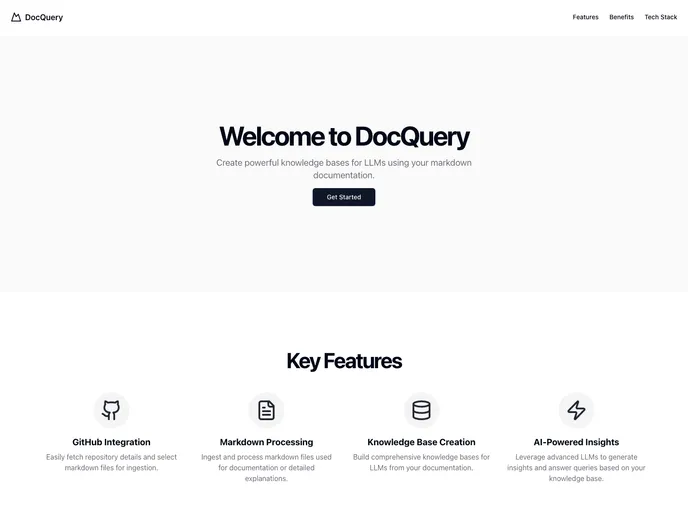
DocQuery is an innovative project that integrates both frontend and backend components to create a robust platform for building knowledge bases tailored for Language Learning Models (LLMs). The frontend, developed using Next.js and Tailwind CSS, offers a sleek and user-friendly interface, allowing users to easily manage their documentation in markdown format. On the backend, FastAPI operates with seamless efficiency, making it possible to interact with various agents integrated through the langgraph library.
What sets DocQuery apart is its combination of advanced AI capabilities with intuitive design. Users can effortlessly fetch data from GitHub repositories, process markdown files, and extract valuable insights—all from a single application. The entire setup process is straightforward, making it accessible for both beginners and experienced developers looking to enhance their knowledge management practices.
Features
GitHub Integration: Easily fetch repository details and select the specific markdown files to be ingested for further processing.
Markdown Processing: Ingest and process markdown files effectively, allowing for detailed documentation and explanations to be utilized in knowledge bases.
Knowledge Base Creation: Construct comprehensive knowledge bases that can be used to enhance LLMs, improving the quality and depth of responses generated.
AI-Powered Insights: Utilize advanced LLMs to derive insights and answer queries directly based on the curated knowledge base established from your documentation.
Ingestion Agent: A dedicated agent for verifying the ingestion of data, ensuring that all necessary information is accurately incorporated.
QA Agent: This specialized agent retrieves information and facilitates chat functionalities, enhancing user interaction and query resolution.
Easy Setup: Straightforward setup process for both frontend and backend components, making it user-friendly for developers of varying experience levels.
Environment Variable Configuration: Simplified management of necessary environment variables to customize the application to your specific needs.





























































