


 Github Stars:
 Last Commit:
  Created:
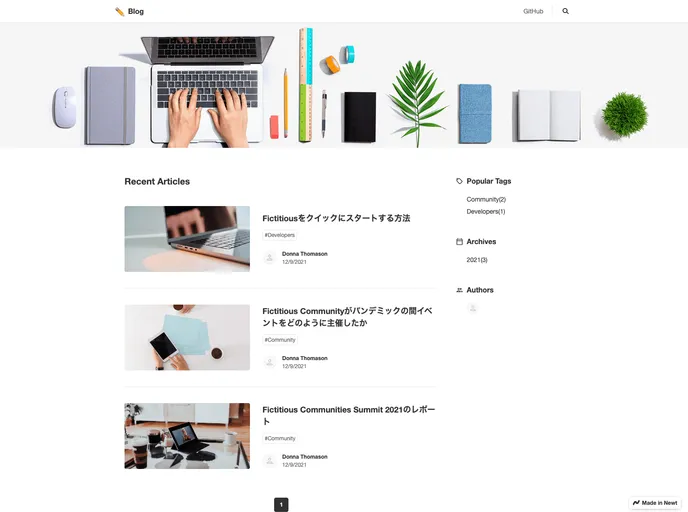
Overview
This is a blog built using Newt and Next.js. It utilizes App Router to create the blog. Users who want to create a blog using Newt and Next.js are encouraged to try it. The blog can be deployed with Vercel.
Features
- Built with Newt and Next.js
- Utilizes App Router
- Can be deployed with Vercel
Installation
To set up the Newt space:
- Create a space and note the Space UID. The Space UID can be found in the admin panel URL (
https://app.newt.so/{SpaceUID}) or in Space settings > General. - Create an app from the app template. Select “Blog” and click “Add this template”. Note the App UID. The App UID can be found in the admin panel URL (
https://app.newt.so/{SpaceUID}/app/{AppUID}) or in App settings > General. - Create a CDN API token by going to Space settings > API key.
To create the .env.local file:
- Create a .env.local file based on the .env.local.example file.
- Set the values of the Space UID, App UID, and CDN API token obtained in Step 1.
To start the dev server:
- Use Yarn or npm.
Page structure:
- Home: /
- List: /page/1, /page/2, …
- Filtered by tags: /tags/developers/1, /tags/developers/2, …
- Filtered by year: /archives/2023/1, /archives/2023/2, …
- Filtered by author: /authors/donna-thomason/1, /authors/donna-thomason/2, …
- Search results: /search?q=hoge
- Detail: /articles/article-1
Model definition:
- Within the Blog app, there are 3 models: Article, Author, and Tag.
For the Article (uid: article) model:
- Field ID: title, Field type: Text
- Field ID: slug, Field type: Text
- Field ID: meta, Field type: Custom field
- Field ID: body, Field type: Markdown or Rich Text
- Field ID: coverImage, Field type: Image






























































