


 Github Stars:
 Last Commit:
  Created:

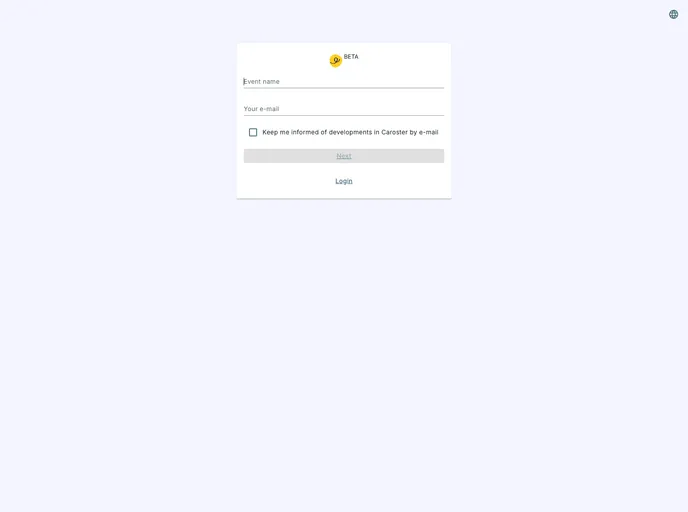
Overview:
Caroster is an app designed to simplify group carpooling for events, parties, seminars, and more. It is a free and easy-to-use app that allows users to organize carpooling for various activities. The app consists of a frontend app based on NextJS and a backend server using Strapi. It is currently in beta and may undergo big changes, particularly in terms of data architecture. To fully utilize Caroster, users will need to have SMTP configuration set up to send emails.
Features:
- Group carpooling: Caroster allows users to organize group carpooling for events, parties, seminars, sports events, camps, ski trips, and more.
- Frontend app based on NextJS: The frontend of Caroster is developed using NextJS, a popular React framework.
- Backend server using Strapi: The app uses Strapi as the backend server for managing data and API endpoints.
- Beta version: Caroster is currently in beta, which means that it may undergo significant changes, especially in terms of data architecture.
Installation:
To install Caroster and run it locally for development and testing purposes, follow these steps:
- Clone the repository locally.
- Set up SMTP configuration by editing the “docker-compose.yml” file with your SMTP details.
- Create containers using Docker Compose by running the command:
docker-compose up. - Wait for the application to download the necessary packages and dependencies.
- Access the application by visiting http://localhost:8080 in your web browser.
- Log in to the admin panel by visiting http://localhost:8080/admin using the following credentials:
- Email: admin@example.org
- Password: caroster
To set up the frontend and backend for development mode, follow these additional steps:
Frontend:
- Prepare the frontend by running the necessary commands.
- Access the frontend application by visiting http://localhost:3000 in your web browser.
Backend:
- Prepare and configure the backend for development mode.
- Start a local Postgres database by running the command:
docker compose up psql -d. - Access the backend admin panel by visiting http://localhost:1337/admin in your web browser.
To run the tests for Caroster’s GraphQL endpoints, follow these steps:
- Run Strapi in test mode.
- Run the available tests located in the “e2e” directory.
Summary:
Caroster is an app that simplifies group carpooling for various events. With its easy-to-use interface and features like a frontend based on NextJS and a backend server using Strapi, it provides a convenient solution for organizing carpooling. Although still in beta, Caroster is a promising tool for managing group transportation logistics.






























































