


 Github Stars:
 Last Commit:
  Created:


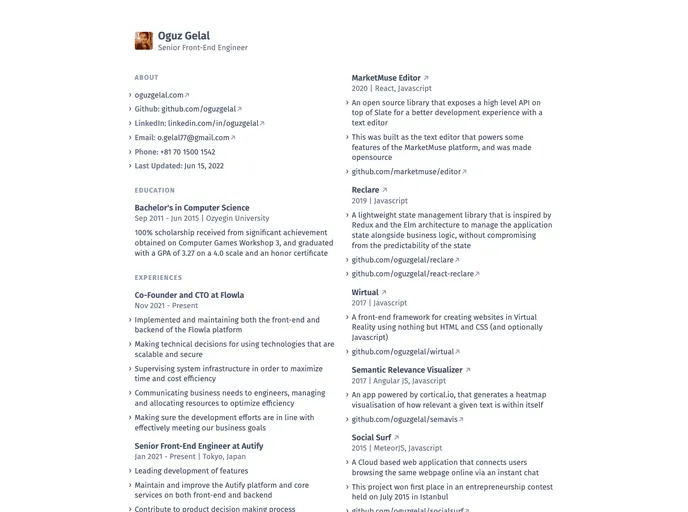
Overview:
The Universal Resume template is a customizable and easy-to-maintain solution for creating professional resumes. It utilizes Universal Résumé, but with some design modifications. The template is developed using React and TypeScript and is bundled as a Next.js application. It simplifies the process of updating and adjusting the resume design by rendering it from a configuration file.
Features:
- Customizable Resume Design: The template allows users to make minor design changes to the Universal Résumé template according to their preferences.
- Componentized using React: The template is built using React, which enables better code organization and reusability of components.
- TypeScript Integration: TypeScript has been incorporated into the template, providing enhanced static typing and better developer tooling.
- Next.js Integration: The template is bundled as a Next.js application, which offers benefits such as server-side rendering and improved performance.
Installation:
To install the Universal Resume template, follow these steps:
- Clone the repository:
git clone [repository-url]
- Navigate to the project directory:
cd universal_resume
- Install dependencies:
npm install
- Start the application:
npm run dev
- Access the application in a browser by visiting
http://localhost:3000.
Note: Make sure you have Node.js and npm installed on your system before proceeding with the installation.
Summary:
The Universal Resume template is a versatile solution for creating well-designed resumes. It offers customization options, leverages React components, incorporates TypeScript, and is bundled as a Next.js application. By rendering the resume from a configuration file, the template simplifies maintenance and enables easy design tweaks. It is a modern and efficient option for individuals looking to create professional resumes.






























































