


 Github Stars:
 Last Commit:
  Created:


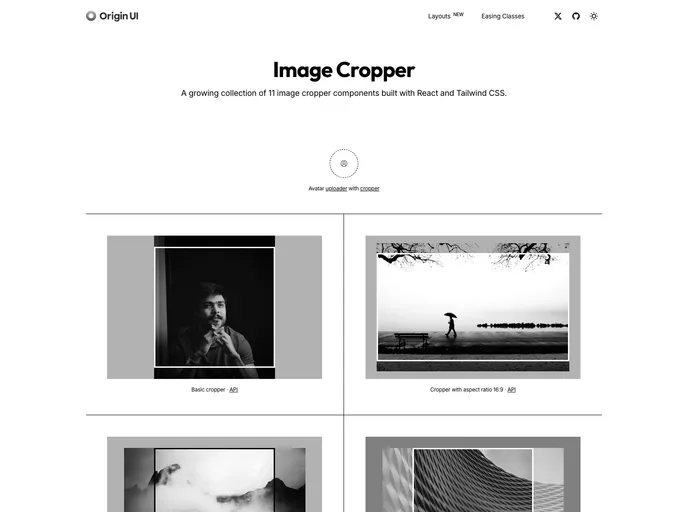
Overview
The React Image Cropper is an innovative and user-friendly component that enhances the way we interact with images in our React applications. Inspired by experiences found on platforms like X, this headless and composable tool provides a seamless cropping experience, allowing developers to cater to specific needs while maintaining full control over both structure and styling. Whether you are working on a personal project or a professional application, this component promises to enhance how users manage their visual content.
One of the standout features is its interactive capabilities, which include zooming and panning functionalities. This not only makes the cropping process more intuitive but also ensures that users can focus on achieving precision with their images. Coupled with accessibility features, the React Image Cropper is a robust option for any developer looking to integrate image cropping in their projects.
Features
- Headless & Composable: Offers building blocks like Cropper.Root, Cropper.Image, and Cropper.CropArea for complete customization and styling.
- Interactive: Enables smooth zooming through mouse wheel, pinch gestures, and intuitive panning via mouse or touch drag.
- Aspect Ratio: Allows users to enforce a specific aspect ratio for the crop area, ensuring precision in image dimensions.
- Controlled/Uncontrolled: Provides the flexibility to manage zoom state either internally or via props, catering to different user preferences.
- Crop Calculation: Returns exact pixel coordinates of the cropped area, making it easy to integrate with back-end systems or image processing workflows.
- Accessible: Incorporates ARIA attributes and necessitates a description element for an inclusive experience for screen reader users.
- Customizable: Offers the ability to adjust zoom limits, sensitivity, padding, and styling to fit specific application needs.





























































