


 Github Stars:
 Last Commit:
  Created:


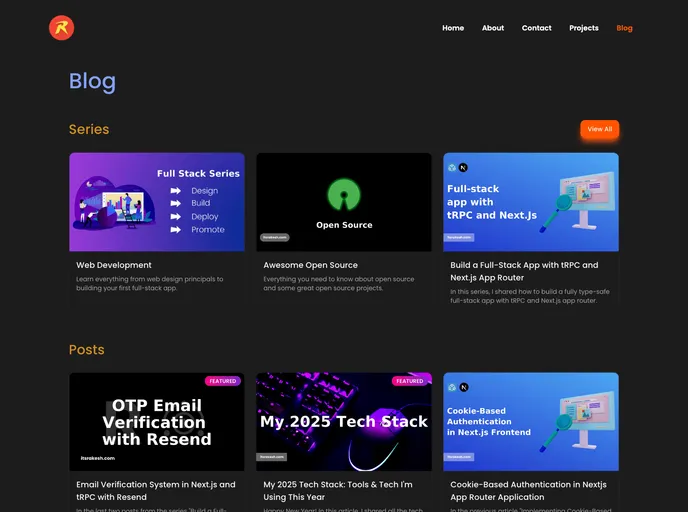
Overview
The content provided is a guide for setting up a personal blog using Next.js, Chakra UI, and Hygraph. It includes instructions for installing the necessary tools and technologies, as well as steps to clone, fork, and contribute to the project. The guide also provides information on licensing and contact details.
Features
- Next.js: A framework for building React applications that enables server-side rendering and other performance optimizations.
- Chakra UI: A component library for building accessible and responsive user interfaces.
- Hygraph (Previously GraphCMS): A headless content management system (CMS) for managing and delivering content.
- BeyondWords: An audio tool for enhancing website accessibility.
- Coil: A web monetization platform for creators.
- Google Analytics: A web analytics tool for tracking website traffic and user behavior.
- Google AdSense: An advertising platform for website monetization.
- Giscus: A comments system powered by GitHub Discussions for facilitating user engagement and feedback.
- Netlify: A platform for deploying and hosting static websites.
Installation
To set up the instance of the blog, follow these steps:
- Clone the Hygraph project by logging in to your Hygraph account and clicking the clone project button.
- Set up the Cloudinary account and install the Cloudinary UI extension in Hygraph following the provided guide.
- Create a
.env.localfile at the root level of the project and copy the environment variables from the.env.examplefile. Fill in at least three variables for development purposes. - Fork and clone the repository.
- Install the required dependencies.
- Start the development server.
Alternatively, you can use Docker for the installation:
- Fork and clone the repository.
- Build the Docker image.
- Run the Docker image.
After installation, the blog will be accessible at http://localhost:3000.
Summary
The provided content is a guide for setting up a personal blog using Next.js, Chakra UI, and Hygraph. It includes instructions for installing the necessary tools and technologies, as well as steps to clone, fork, and contribute to the project. The guide aims to enable users to create their instances of the blog and customize it according to their preferences.






























































